Building a multi-camera video system in your home gym is one of the fastest ways to improve your lifting technique and get more value from remote coaching. With a couple of phones, a webcam and a tablet, you can capture every angle of your main lifts, sync feeds for live sessions and easily review footage after workouts. This guide walks you through practical camera placement, budget-friendly mounts and the essential apps to make form checks part of your normal training routine.
Choosing and combining cameras for your home gym
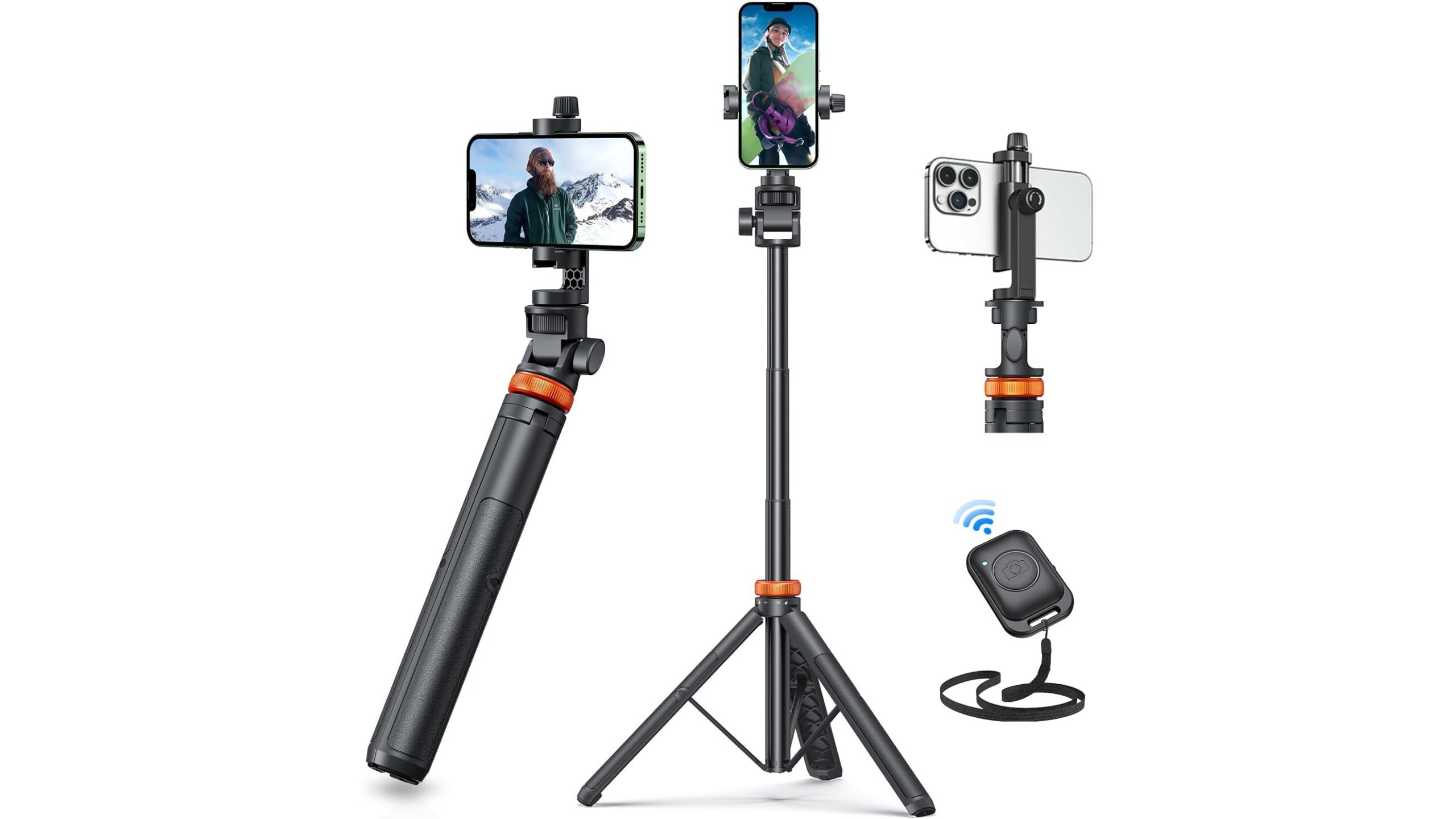
Your multi-camera setup doesn’t need to be expensive. Start with what you already have: old smartphones, a webcam and possibly a tablet. For a stable main angle from your phone, a lightweight tripod like the Vimose 62″ Phone Tripod, Tripod for iPhone & Selfie Stick Tripod with Remote offers an extendable height up to 62 inches, a Bluetooth remote and a solid build that works well for squat and deadlift angles. Pair this with a dedicated webcam such as the EMEET 1080P Webcam with Microphone, C960 Web Camera, which provides a 90° wide field of view and dual microphones, ideal for live coaching calls over Zoom or Teams. Finally, a tablet can act as your coach’s view or live feedback screen when mounted securely on equipment, using a clamp mount like the iPad Holder for Exercise Bike, 360 Adjustable Tablet Clamp Mount.
Smart camera placement for squats, presses and deadlifts
Good camera placement matters more than camera quality. For squats, aim one phone on a tripod at hip height from a 45° angle in front of you; this lets your coach see depth, bar path and knee tracking. The Vimose tripod’s fast, extendable pole makes it easy to adjust height between lifters. For deadlifts, place a second camera low and slightly off-centre to capture the bar over mid-foot and back angle. With presses and bench work, use the webcam on your laptop placed to the side at chest height; the wide 90° view of the EMEET C960 helps fit both lifter and rack into frame in tight spaces. Over time, keep consistent angles session to session so your coach can accurately compare progress and spot subtle technique changes.
Mounts, tripods and clamps that survive real training
Home gyms are tough on gear: vibrations, chalk and limited space can all ruin a flimsy setup. A sturdy phone tripod like the Vimose 62″ features a tough Nylon shell, a secure phone clamp and an integrated cold-shoe mount for adding lights or a microphone. Its Bluetooth remote lets you start and stop recording without touching your phone and shaking the shot. For screens that stay close to your equipment, a tablet clamp mount such as the iPad Holder for Exercise Bike uses metal arms, silicone padding and a strong jaw to stay solid even during high-intensity sets, clamping to bars, uprights or a treadmill handle. This means you can have your coaching app or live call visible at eye level without balancing devices on boxes or benches.
Syncing feeds for live remote coaching sessions
Once your cameras are placed, the next step is syncing video feeds so your remote coach can see multiple angles in real time. One simple approach is to run your main call from a laptop using the EMEET 1080P webcam as the primary view, then join the same call from your phone and tablet as additional participants. Many coaching and video apps allow multi-device logins, so check your platform’s settings. Use your tripod-mounted phone for the technical lift angle and mute its microphone to avoid echo, relying on the webcam’s dual mics for clean audio. For asynchronous coaching, record separate clips on each device and upload them to a shared cloud folder, labelling files by lift, set and angle (e.g. “squat_set3_45deg.mp4”) to make your coach’s review efficient.
Apps and workflows for easy review and storage
To get real value from your multi-camera home gym, build a simple video workflow. Use slow-motion and drawing tools in apps like Coach’s Eye–style analysis apps, or even your phone’s native video editor, to highlight bar path and joint angles. Store raw footage on cloud services organised by date and lift so you can quickly revisit old sessions. A common routine is: record your main sets from two angles, upload only the top set or most problematic sets, and then save coach feedback clips in a “review” folder. Keep your tripod and tablet mount pre-positioned so you can start recording with one button press on the Vimose’s Bluetooth remote, reducing friction and making video review part of every serious training day.
With a thoughtful mix of phones, a solid webcam and a secure tablet mount, you can turn any home gym into a powerful remote coaching studio. Stable tripods like the Vimose 62″, wide-angle webcams like the EMEET C960 and versatile clamps such as the iPad Holder for Exercise Bike give you reliable multi-angle coverage without a pro film crew or massive budget. Once your angles, apps and storage workflow are dialled in, form checks become quick, objective and repeatable—helping you lift safer, progress faster and get more from every rep in your home gym.