A chest strap can give you a clearer picture of effort during home workouts, especially when wrist-based readings lag during intervals or become erratic with movement. It is not a perfect measure of fitness or a verdict on how well a session went. Think of it as one useful source of training data: fit it carefully, check that it connects to your equipment, and interpret patterns alongside how you feel.
Check compatibility before you start
Before buying or pairing a monitor, check which connection your receiver supports. Common options include Bluetooth and ANT+, but a watch, bike console, phone app and treadmill may not all accept the same signal. Some devices can connect to only one Bluetooth receiver at a time, while others support multiple connections. Consult the manuals for both the strap and the equipment, and confirm whether the app needs location or nearby-device permissions to scan. If your home gym has several receivers, pair the strap with the device you intend to use rather than assuming it will connect automatically.
Fit the strap for a steady signal
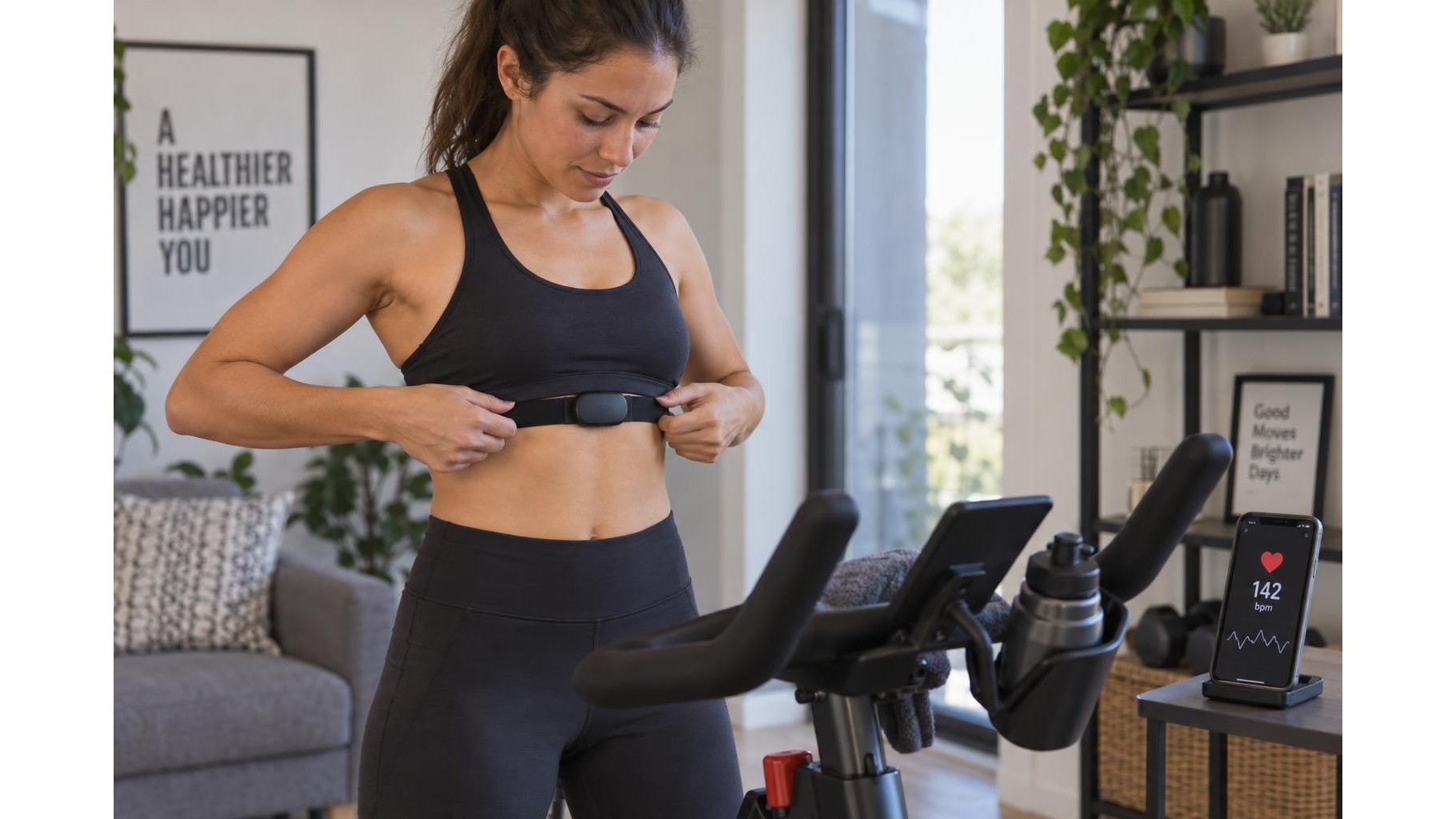
Wear the transmitter against your skin, just below the chest muscles. Adjust the band so it sits level and snug enough not to slide when you move, without restricting your breathing. Moisten the electrode areas with water before putting it on; dry contacts are a common cause of a missing or jumpy reading at the start of a workout. Position the transmitter as directed by its manufacturer, then check that the strap is flat and the electrodes remain in contact during movement. After training, rinse or clean the band as instructed and let it dry before storage.
Pair it in the right order
Wake the monitor by wearing it, then open the sensor or heart-rate settings on your watch, app or machine. Select the strap from the available devices and wait for a confirmed connection before beginning a session. If it does not appear, briefly move away from other active receivers, turn Bluetooth off and on, or close an app that may already be connected. When using gym equipment at home, check whether its displayed heart rate comes from the strap or from built-in hand sensors. A connection icon or a short test reading can help you verify the source.
Troubleshoot dropouts methodically
If the number disappears or jumps, first check strap contact and moisture, then reposition the transmitter and tighten the band slightly if it is slipping. Replace a depleted or poorly seated battery according to the instructions; keep the battery cover and seal clean and dry. Remove and re-pair the sensor if the receiver has retained an old connection. Wireless interference or distance can also interrupt transmission, so keep the receiving device nearby and avoid placing it behind a wall or metal frame. Compare the reading with your pulse after stopping briefly, but do not expect an instant match: heart rate changes take time.
Use readings as guidance, not a verdict
Heart rate is most useful when viewed in context. During steady cardio, observe whether effort remains in a comfortable, controlled range and whether the reading broadly matches your breathing and perceived exertion. For intervals, allow for a delay between a change in pace and the heart-rate response; do not chase every second-by-second fluctuation. Heat, stress, hydration, sleep and illness can all affect the number. Use consistent conditions to compare session trends over several weeks, rather than judging fitness from a single workout or relying on generic zone estimates as exact boundaries.
A well-fitted, correctly paired chest strap can make home-training data more dependable, but it cannot explain every change in effort. Check compatibility, maintain good electrode contact and troubleshoot one cause at a time. Then combine the reading with pace, breathing and perceived exertion. Treat trends as helpful feedback—not a score, diagnosis or instruction to ignore how your body feels.