Upgrading your home training does not have to mean expensive watches or subscriptions. A simple, budget Bluetooth heart rate strap can feed live data into several free fitness apps at once, giving you zones, logs and recovery insights without paying for premium platforms. In this guide, you’ll learn what kind of strap to buy, how to pair it correctly, and which apps to combine so you can train smarter on the bike, treadmill or in your living room.
Choose the right budget Bluetooth heart rate strap
The key is to pick a strap that supports open Bluetooth connections (often Bluetooth 4.0 or 5.0) and broadcasts standard heart rate data that most apps understand. Look for phrases like “Bluetooth heart rate monitor chest strap”, “BLE”, or “dual Bluetooth / ANT+” and make sure the product does not say it is locked to a single brand’s ecosystem. A basic strap with an adjustable chest belt, replaceable coin battery and splash resistance is enough for home workouts. Check that it explicitly lists compatibility with Android and iOS and mentions popular apps such as Strava, Zwift or generic fitness apps – this usually means your phone or tablet will see it as a standard heart rate sensor.
Pair once at system level, then in each fitness app
To connect your strap to multiple free apps, start with your phone or tablet’s Bluetooth settings. Moisten the electrode areas of the strap, fasten it snugly around your chest just under the pectorals, and wait for the LED (if present) to blink. On your device, open Bluetooth settings and look for a new accessory named something like “HRM” or “Heart Rate”. Tap to pair. Next, open your first app (for example, a free running or cycling app), go to its sensor or devices menu, and choose “Add heart rate monitor”. The app should discover the strap and connect. Repeat this process for each additional app you want to use, ensuring the strap is awake and worn so it keeps broadcasting a signal.
Use split-screen and background connections for multiple apps
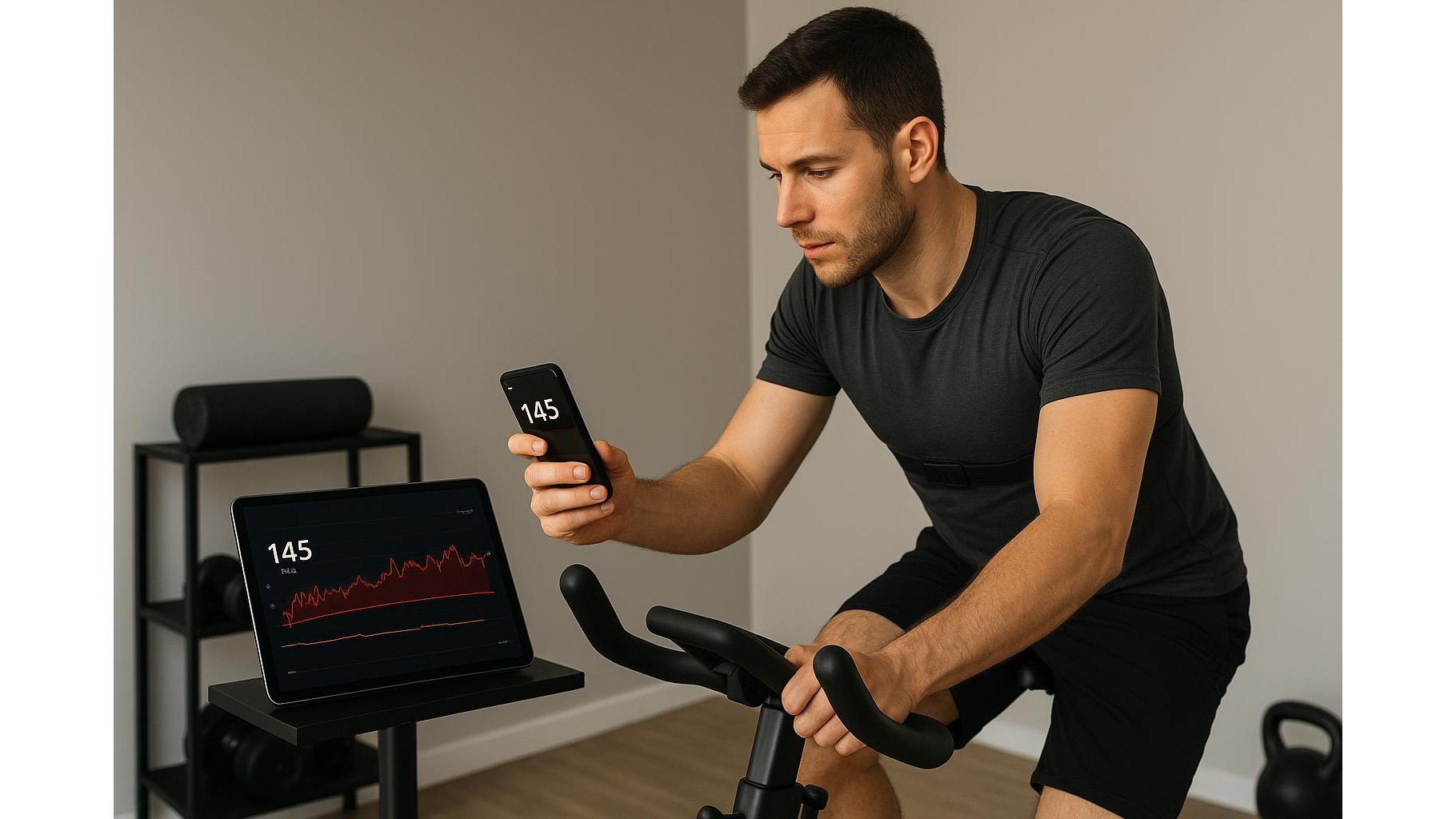
Most modern phones and tablets can keep several apps connected to the same Bluetooth heart rate strap using background Bluetooth. On Android, you can enable split-screen or quickly switch between apps; on iOS, you can run one app in the foreground while others stay in the background and still receive data. For example, you might run a free interval timer app to guide your workout, a cycling or running app to record the session, and a health dashboard app that logs your heart rate into Apple Health or Google Fit. Start recording in each app before you begin your workout, then confirm that all of them show live heart rate. If an app does not display a value, briefly reconnect the sensor from its settings without unpairing it at system level.
Track zones, logs and recovery with free apps
Once your strap is connected, you can use different free apps for different purposes while still relying on the same cheap sensor. One app can show live heart rate zones and colour-coded intensity for intervals on your smart bike or treadmill. Another can focus on detailed training logs, graphs and weekly summaries. A third might estimate recovery time and resting heart rate trends. Many free apps let you customise zone thresholds based on max heart rate or simple fitness tests. Over a few weeks, you will see patterns: how quickly your heart rate rises during warm-ups, how steady you hold a tempo effort, and how fast your heart rate falls after intervals – all of which are powerful data points for smarter, structured home workouts.
Troubleshooting connection issues and getting stable data
If one of your free apps refuses to see the strap, first close all apps, unfasten the strap for a few seconds, then refasten it and reopen the apps one by one. Make sure only your current phone or tablet is paired; disconnect the strap from old devices that might “steal” the signal. Check the strap’s battery if readings seem low or if the connection drops mid-session – a cheap coin cell often needs replacing every few months. Ensure the electrodes are slightly moist and the strap is snug but comfortable to reduce noise and spikes in the data. Finally, regularly export or sync your workout logs from each app to a central platform (like Google Fit or Apple Health) so you do not lose history if you ever switch apps or upgrade your phone.
By combining one budget Bluetooth heart rate strap with several free fitness apps, you can create a powerful DIY home training lab. Pair the strap once, connect it inside each app you use, and let every session feed multiple dashboards at the same time: live zones on one screen, long-term logs on another, and recovery trends in the background. This setup keeps your gear simple and cheap, but your feedback rich and actionable, helping you train smarter at home without paying for premium platforms.