
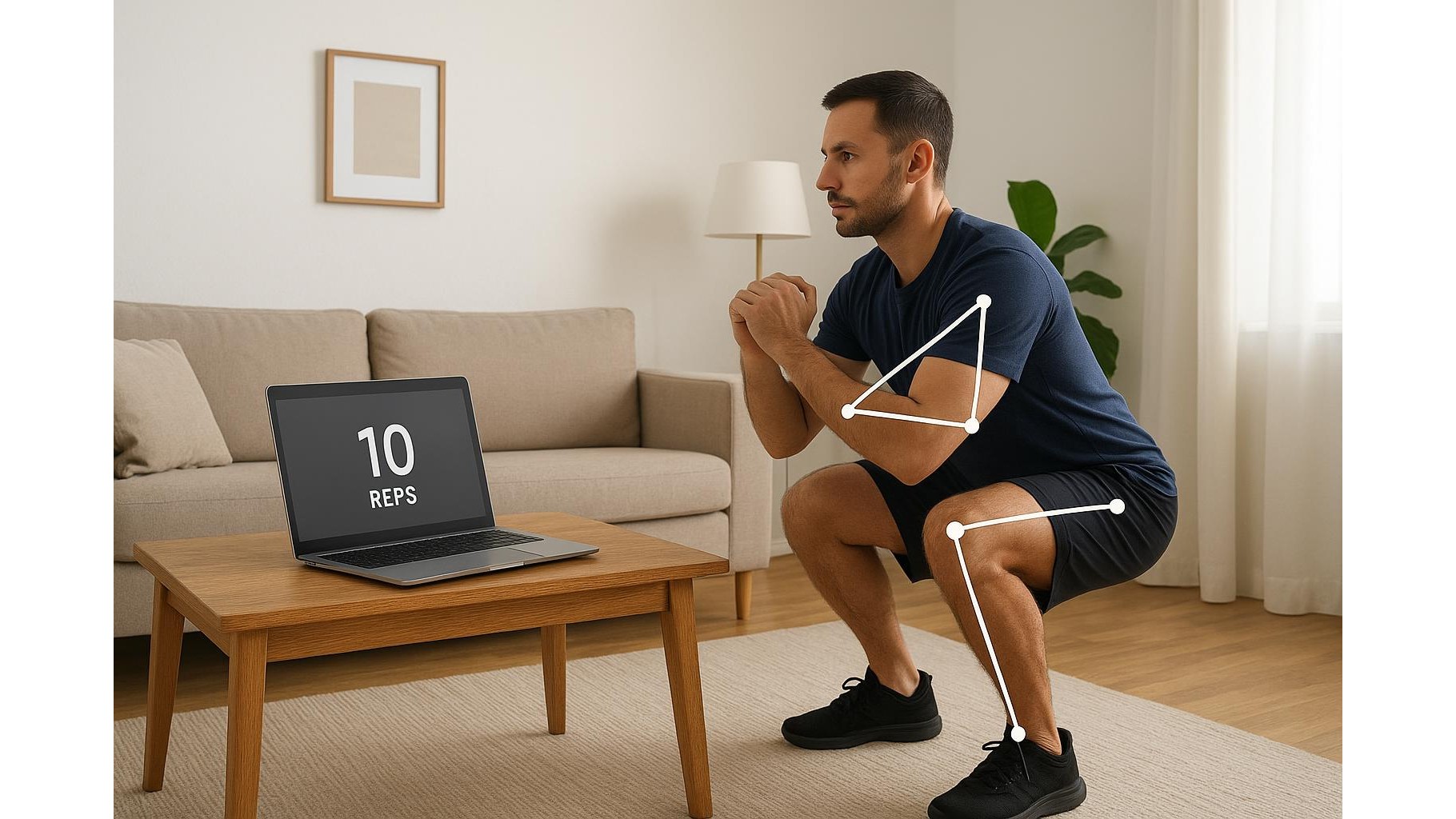
Turning your laptop into a smart rep counter is no longer science fiction. A new wave of AI‑powered fitness tools uses your existing webcam to track reps, sets and even exercise form, making it easier to build a serious home gym in a small space. In this article we look at emerging AI apps, what hardware you actually need, how to set them up in a living room or bedroom, and which privacy settings to pay attention to before you start squatting in front of your screen.
What AI rep‑counting with a webcam actually does
Most AI rep‑counting apps use computer vision to detect your joints and posture from a standard laptop or desktop webcam. Instead of relying on wearables, they watch your movement patterns and automatically log reps, sets, and range of motion. Some applications provide real‑time cues like “lower a bit more” or “straighten your back”, others just count reps and give a form score at the end. While fully featured platforms often live in paid coaching ecosystems, the trend is clear: affordable software that turns any webcam into a basic virtual coach. For best results, you need a stable camera angle, good lighting and enough distance so your whole body stays in frame during each repetition.
Choosing the right webcam and setup for small home spaces
Because the AI needs to see your full body, the webcam you use and where you place it matters as much as the app. If your laptop camera is low‑resolution or struggles in dim rooms, consider upgrading to a dedicated HD webcam that clips on top of your screen and offers a wider field of view. Position the camera at about chest height, two to three metres away if possible, and angle it so your head and feet are visible during key movements like squats, lunges and push‑ups. In a tight flat, you might need to train diagonally across the room to maximise distance. Decluttering the background and using front lighting (a lamp behind your screen pointed towards you) helps the AI identify joints more accurately and reduces miscounted reps.
Best practices for accurate rep counting and form tracking
Even the smartest AI workout tracker can struggle if your technique is inconsistent. To improve accuracy, start each set with one or two “warm‑up” reps so the software learns your movement pattern. Move through a controlled range of motion rather than fast half‑reps; most AI models look for clear top and bottom positions. Stand or lie within the area the app recommends, and avoid stepping in and out of frame between reps. Wearing clothes that contrast with your background and keeping pets or other people out of the shot prevents the algorithm from getting confused. Over time, you can use the app’s rep logs and form feedback to spot patterns, like cutting depth on the last few squats or twisting during rows, and tighten up your technique.
Working these tools into a realistic home workout routine
To get real value from webcam‑based AI fitness tools, weave them into a simple but consistent routine. Use the software during your main strength sets where tracking reps and form matters most, and keep warm‑ups or stretches off camera if space is tight. Many apps let you create basic templates – for example: squats, push‑ups, glute bridges and rows – and then automatically tally reps across the week so you can see progression. Treat the AI prompts like a coach’s guidelines rather than absolute rules; if the app misses a rep but you know you did it with good form, log it manually if that option exists. The goal is not perfection but building awareness of your movement while freeing your brain from counting, so you can focus on effort and breathing.
Privacy, data and staying comfortable on camera
Letting an AI app watch you exercise in your living room raises understandable privacy questions. Before you sign up, check whether video is processed locally on your device or streamed to the cloud, and whether sessions are recorded or stored. Look for clear settings to disable saving footage, anonymise data and opt out of marketing emails. If you share a home, let others know when your camera will be on, and angle it away from doors or mirrors that might capture bystanders. You can also limit sessions to a dedicated workout corner and close any visible documents or screens in the background. Ultimately, you should feel as comfortable training in front of your webcam as you do in a gym: if an app’s privacy policy feels vague or intrusive, pick a different one rather than compromising your peace of mind.
AI‑powered webcam rep counters are still evolving, but they already offer a convenient bridge between casual home workouts and structured coaching. With nothing more than a laptop, a stable camera angle and a bit of light, you can automate rep counting, get basic form feedback and track progression over time without filling your flat with extra gadgets. Pay attention to setup and privacy, experiment with a couple of different apps, and treat the AI as an extra layer of accountability rather than a strict judge. Used thoughtfully, these tools can turn any corner of your home into a smarter, more engaging mini‑gym.









