
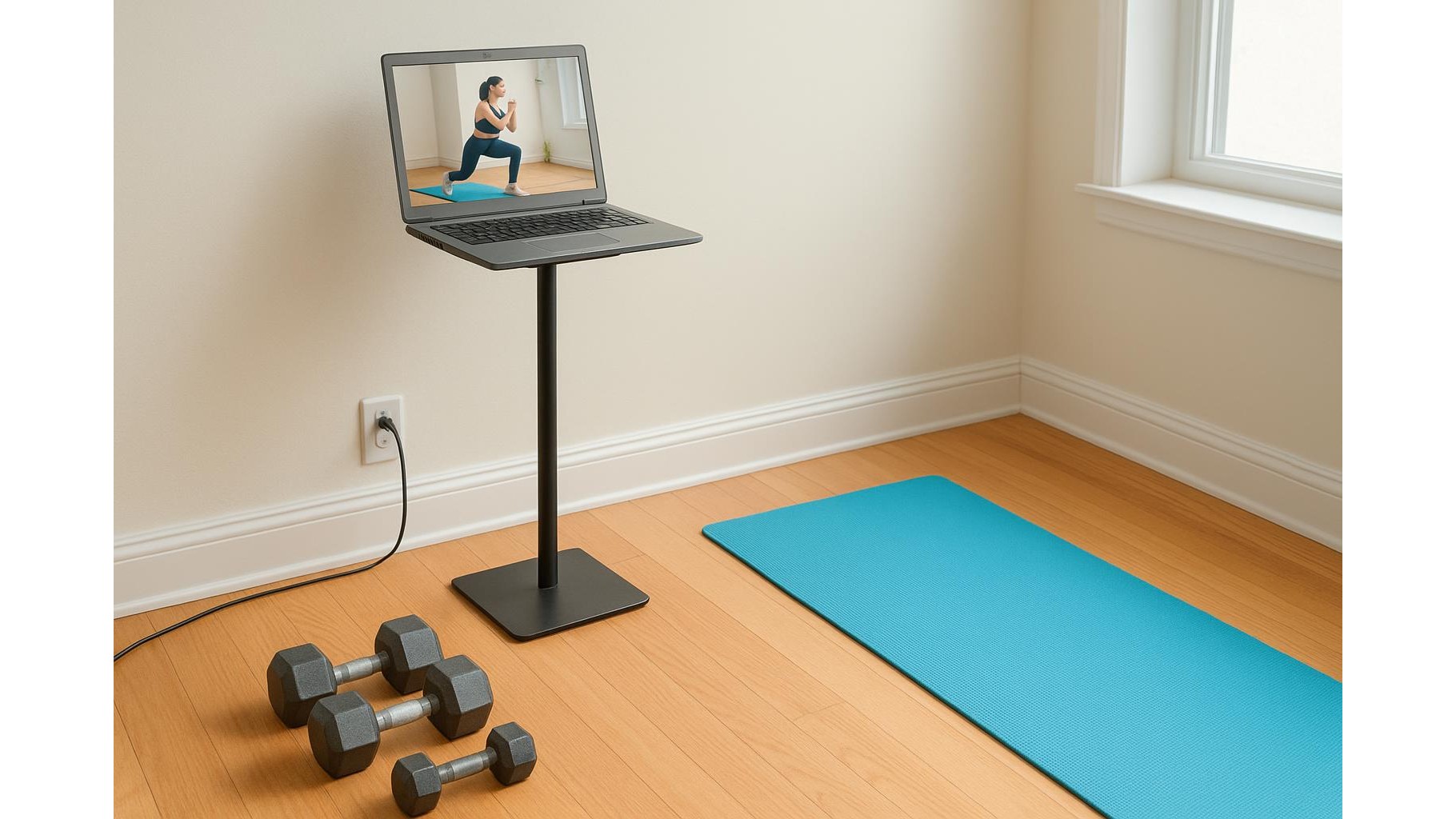
Transforming an old laptop into a dedicated home workout kiosk is one of the easiest ways to upgrade your home gym without spending a fortune. Instead of letting outdated hardware collect dust, you can turn it into a permanent screen for workout videos, music, and training apps. With a bit of cleanup, basic security, and some smart mounting and cable management, you’ll have a tidy, always‑ready training corner that makes it easier to press play and move.
Prep the laptop: cleanup, reset and safety
Start by giving the old laptop a proper reset so it can run smoothly as a workout screen. Backup any important files, then perform a factory reset or clean install of the operating system to remove bloat and old apps. Uninstall anything you don’t need: office suites, heavy games, trial software. Disable unnecessary startup programs so the laptop boots quickly straight into your fitness content. For basic security, create a separate user account with a strong password, turn on the built‑in firewall, and enable automatic updates. Since this device will live in your gym area, keep it simple: no email, no banking apps, just streaming, music and workout tools.
Essential apps for video, music and offline workouts
Your home workout kiosk should open directly into the apps you use most. Install your favourite video streaming platforms and pin them to the taskbar or dock so they’re available in one click. Add a solid music player or streaming app for training playlists, and set it to launch at startup. For days when your connection is unstable, download offline workout videos or PDF routines so you can keep training without buffering. Create folders for “Warm‑up”, “Strength”, “Cardio” and “Stretching” so you can jump into the right session quickly. Finally, enable fullscreen mode by default and increase font and icon size so everything is readable from a distance while you’re moving.
Mounting the laptop: stands and wall options
Once the software side is ready, think about positioning the laptop so that the screen is always visible and safe from sweat and impact. A stable adjustable laptop stand lets you raise the screen to eye level on a shelf or desk, keeping the keyboard away from the floor and improving viewing angles for standing exercises. If space is tight, you can place the laptop on a narrow console or bookcase at the side of your workout area and angle the screen toward your training zone. Whatever you choose, ensure ventilation openings are not blocked and leave enough clearance around the device so it doesn’t overheat during long workout sessions.
Cable management for a clean, safe training corner
A tidy cable management setup is essential to avoid tripping hazards in your home gym. Route the power cable along the wall, not across the floor, using simple clips, adhesive cable channels or reusable ties to keep everything bundled. If possible, connect the charger to a surge‑protected power strip placed off the ground, away from sweat and spills. Keep only the essential cables: power and, if needed, one audio cable. Label both ends so you can unplug and re‑plug quickly. A visually clean corner helps you focus on training instead of clutter and reduces the chance of accidentally pulling the laptop down mid‑workout.
Boost audio and usability with simple accessories
Sound is crucial for following cues and staying motivated. If the laptop speakers are weak, pair it with a compact Bluetooth speaker to fill your workout space with clearer audio; position the speaker at about head height and slightly in front of your training area for better intelligibility. Use a wireless mouse or trackpad so you can start, pause and skip workouts without leaning over equipment. Consider adding a basic USB webcam or using the built‑in one as a form check tool: you can record your lifts or yoga poses to review technique later. These small accessories turn a forgotten laptop into a much more effective fitness station.
Make it a habit: turning on, warming up and training
To truly benefit from your new home workout kiosk, integrate it into your daily routine. Leave the laptop plugged in and set it to automatically wake up at your preferred training time, or schedule reminders in your calendar app that open your favourite workout playlist or channel. Create a five‑minute ritual: open the laptop, start your warm‑up video, adjust volume, then get moving. The easier it is to start, the more consistent your training will be. With a bit of planning, your old laptop becomes a dedicated, clutter‑free home gym screen that keeps you focused on what matters: showing up and doing the work.









