
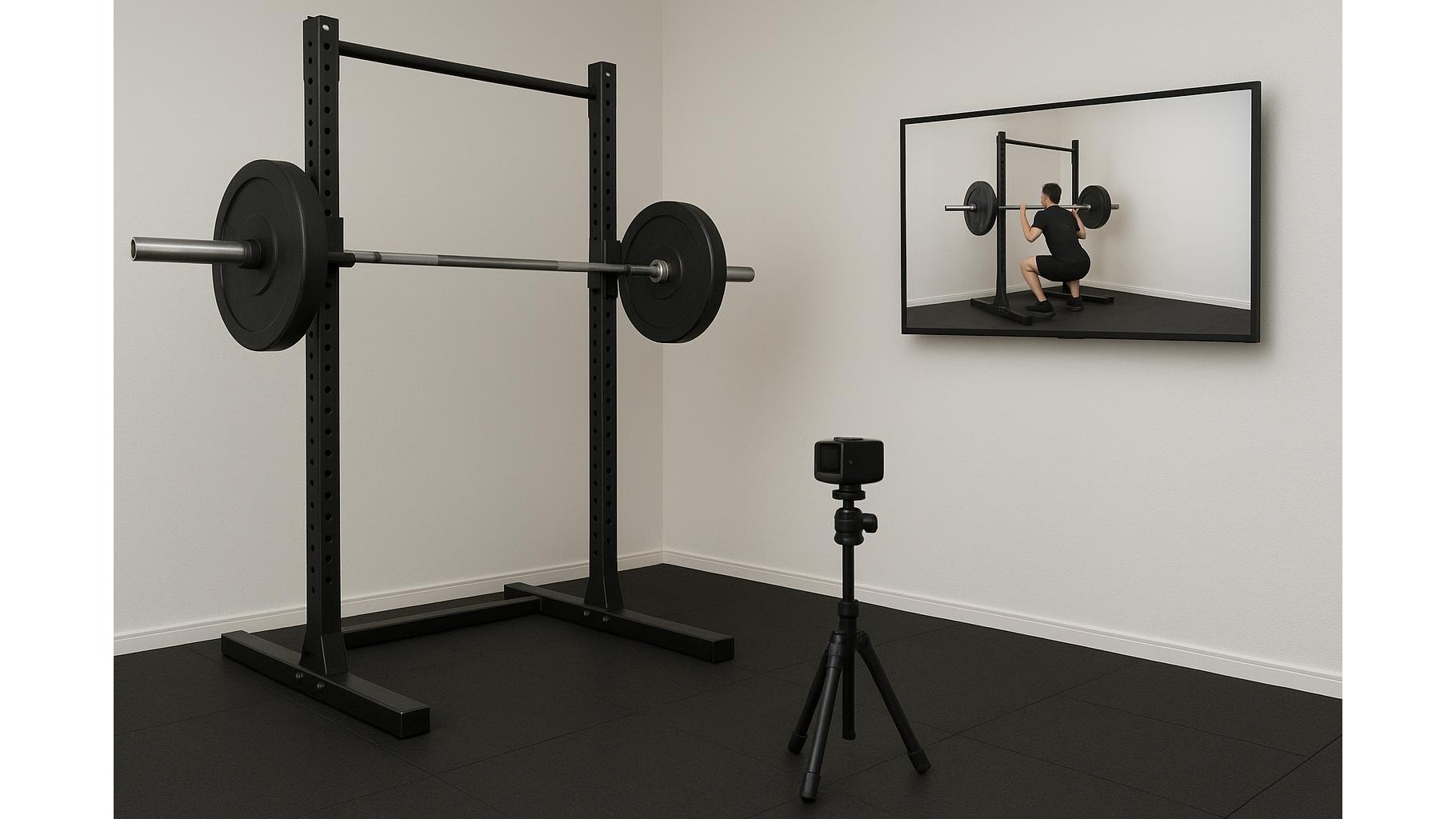
Building a home gym often means sacrificing the big wall mirror you’d find in a commercial studio. But you can still get instant visual feedback on your squats, presses and deadlifts using a budget action camera as a live “form mirror”. With a simple setup, you can stream your movement in real time to a TV or tablet, checking angles and posture without investing in expensive smart gym gadgets.
Why a budget action camera beats a basic mirror
A traditional mirror only shows you one fixed angle and can be hard to position around racks or cardio machines. A low‑cost action camera gives you flexible mounting options, a wide‑angle lens and live video output to a bigger screen. Many generic action cams on Amazon offer HDMI out or Wi‑Fi streaming, so you can plug straight into your TV or view footage on a tablet. This means you can finally see your deadlift from the side, your squat depth from the front and your overhead press lockout from behind, all without spending big on smart mirrors or AI‑powered form trackers.
Choosing the right budget action camera features
When browsing for a camera, focus less on brand labels and more on key specs for a home workout feedback setup. Prioritise a model with at least 1080p resolution, a stable frame rate (30fps or higher) and either HDMI output or reliable Wi‑Fi streaming to a companion app. A wide‑angle or “superview” lens helps capture your whole body even in tight spaces. Look for simple mounting accessories in the box, such as tripod adapters or adhesive mounts, so you can fix the camera to a rack, wall, or shelf. A removable battery and the option to power via USB during use are handy if you plan longer lifting sessions.
Setting up your live feedback station with TV or tablet
To use your action camera as a live feedback mirror, position it roughly at hip height for squats and deadlifts, and at chest to head height for pressing movements. If your camera has HDMI out, connect it directly to your TV using a compatible cable and select the right HDMI input. For Wi‑Fi models, open the manufacturer’s app on your tablet or phone, enable live view, and place the device at eye level near your training space. Turn off overlays like recording icons where possible, so you get a clean image. Adjust distance until your entire range of motion is visible, checking that your head, feet and the barbell all stay within the frame throughout the lift.
Using multiple angles and simple mounts for better form checks
One camera is usually enough to transform your home gym setup, but you can level up by adding extra angles over time. A basic tripod or clamp mount lets you move the camera quickly from a side view for squats to a 45‑degree front angle for bench and overhead press. If your camera kit includes adhesive mounts, you can secure one high on a wall to analyse overhead work and pull‑ups. Use the preview on your TV or tablet to fine‑tune each angle before lifting. Consider marking the floor where you stand or place the bench so your body remains central in the shot every session, making it easier to compare form improvements over weeks and months.
Practical tips for lighting, latency and workout flow
For a smooth experience, think about lighting and latency. Good lighting makes it easier to see spinal alignment, knee tracking and bar path, so add a lamp if your garage or spare room is dim. Some Wi‑Fi connections introduce a slight delay; for the most instant feedback, HDMI to TV is usually best. You don’t need to record every set: use live view during warm‑ups to dial in technique, then occasionally record work sets for deeper analysis later. Keep a small remote or the camera within reach so you can start and stop recording without interrupting your rest periods or walking across the room mid‑session.
Turning a budget action camera into a live feedback mirror is a simple, affordable upgrade that can dramatically improve your technique and confidence in a home gym. With smart positioning, a stable connection to your TV or tablet and attention to lighting and angles, you get many of the benefits of high‑end smart gym tech without the price tag. Over time, this visual feedback helps you spot bad habits early, stay safer under the bar and track your progress with clear, objective evidence of better form.









