Turning a single tablet into the command center of your home gym is one of the easiest upgrades you can make. With the right settings and a couple of simple accessories, your everyday device can act as a workout timer, music hub and form-check screen all at once. In this guide we’ll walk through practical split-screen layouts, offline playlists and basic stands you can use with almost any modern tablet to keep your training space clean, efficient and distraction‑free.
Choosing the right tablet as your home gym hub
Your main requirement for a home gym tablet is a clear display, decent speakers or Bluetooth support, and reliable Wi‑Fi or storage for offline content. Any recent 10‑inch Android or iPad‑class device will work: focus on at least 64 GB of storage so you can save workout videos, offline playlists and timer apps without constantly deleting files. A brighter screen (400+ nits) makes it easier to see your interval timer and technique videos in a well‑lit garage or spare room. Battery life is less critical if you train near a socket, but fast charging is useful when you squeeze in quick sessions. For safety and longevity, use a sturdy case to protect the corners and edges in case the tablet slips off a rack or cabinet during an intense workout.
Setting up timers and split‑screen workout layouts
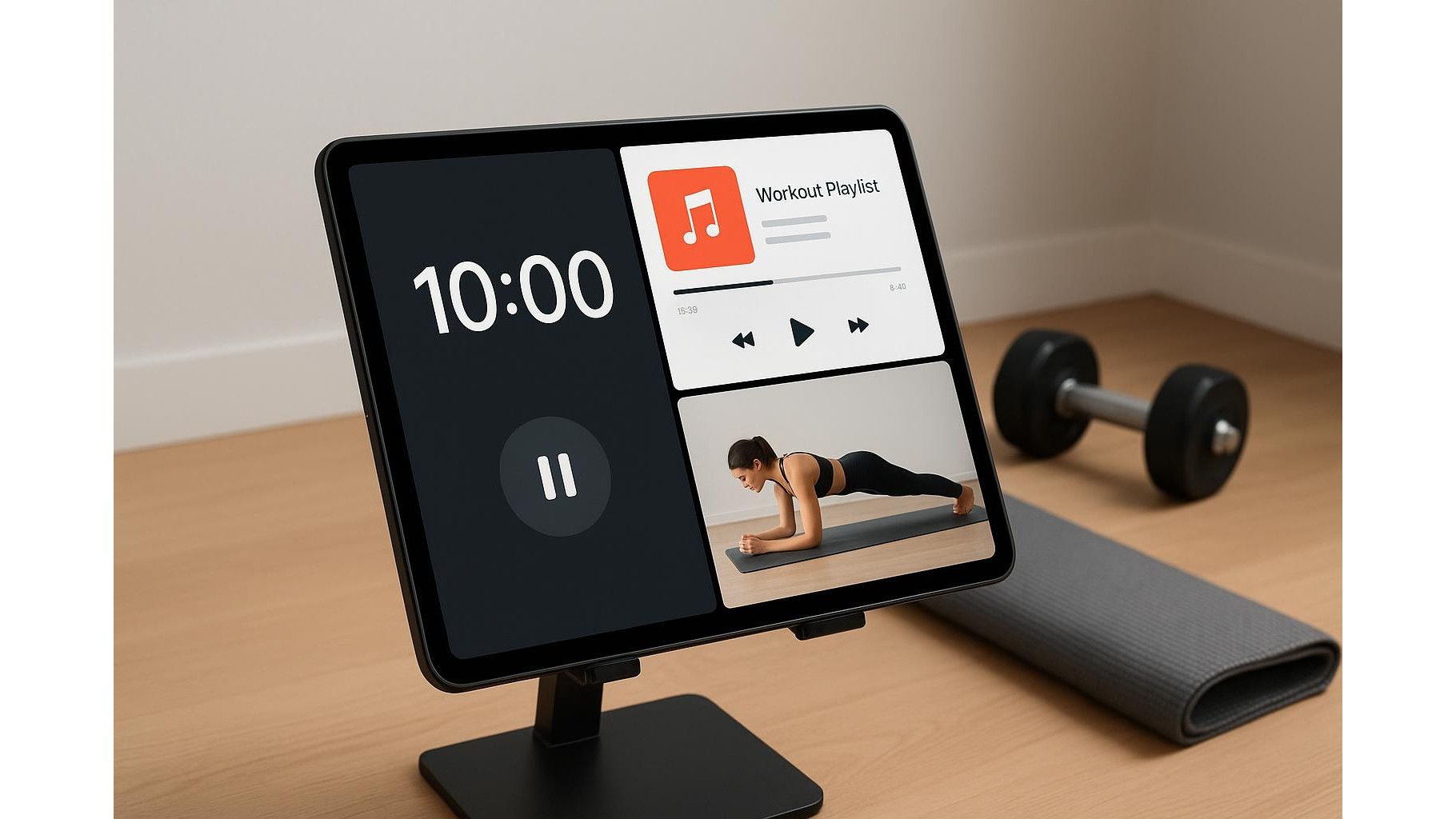
The heart of using one tablet for everything is a smart split‑screen layout. Most current tablets let you run two apps side by side, and some add a floating window for a third tool. A simple layout is to place a HIIT timer or countdown app on one half of the display, while the other half shows your program document or a coaching video. If your device allows a picture‑in‑picture window, keep a small live or recorded form‑check video in the corner while the main area runs your timer or playlist. Configure your timer with large numerals, colour‑coded work and rest phases, and an audible beep at the start and end of each interval so you can train without constantly looking at the screen.
Using your tablet as a dedicated music hub
A home gym feels completely different when your tablet doubles as a focused music hub. To avoid notifications interrupting your sessions, create a dedicated workout user profile or activate do‑not‑disturb mode before training. Build offline playlists in your streaming app so music keeps playing even if your Wi‑Fi is weak in the garage or basement. Pair your tablet with Bluetooth speakers or sports headphones and test volume levels while weights are racked and machines are running. Keep one playlist for heavy strength days (slower, driving tracks) and one for conditioning or mobility (faster or more relaxed). Because everything is controlled from the same device, you can manage volume, skip tracks and adjust timers without juggling multiple screens or phones.
Form‑check videos and real‑time feedback
One of the biggest advantages of a tablet home gym setup is the ability to use it as a form‑check screen. Position the tablet where you can see your reflection or video feed while lifting, without twisting your neck. You can stream technique breakdowns from coaches, replay slow‑motion clips of your own lifts, or record short sets using the front camera. During compound movements like squats, deadlifts or presses, keep a reference video open on one side of the screen and your timer or workout log on the other. After each set, quickly review your posture, bar path and depth. Over time, this builds better movement patterns and helps prevent common home gym mistakes like rounding the back or cutting depth short just because nobody is watching.
Stands, mounting options and cable management
To turn your tablet into a stable control center, invest in a simple adjustable tablet stand or wall mount that can handle slight vibrations from dropping plates or using a treadmill. A stand with adjustable height and tilt lets you switch between floor exercises, bench work and standing lifts while keeping the screen at eye level. If you train near a rack, you can place the stand on a nearby shelf or clamp a mount to an upright. Use short charging cables and basic cable clips to prevent cords from becoming trip hazards. Keeping one fixed charging point in your gym corner ensures the tablet is always ready, while the stand protects it from sweat, chalk and accidental bumps during intense sessions.
By treating a single tablet as the brain of your home gym, you simplify your environment and reduce digital clutter. With the right combination of timers, music playlists and form‑check videos, plus a practical stand or mount, you can monitor every session from one clear, reliable screen. Once your setup is dialled in, starting a workout becomes as easy as propping up your device, opening your favourite apps and letting your tablet guide you smoothly from warm‑up to cooldown.