How to use NFC tags to launch your home workout routine with one tap
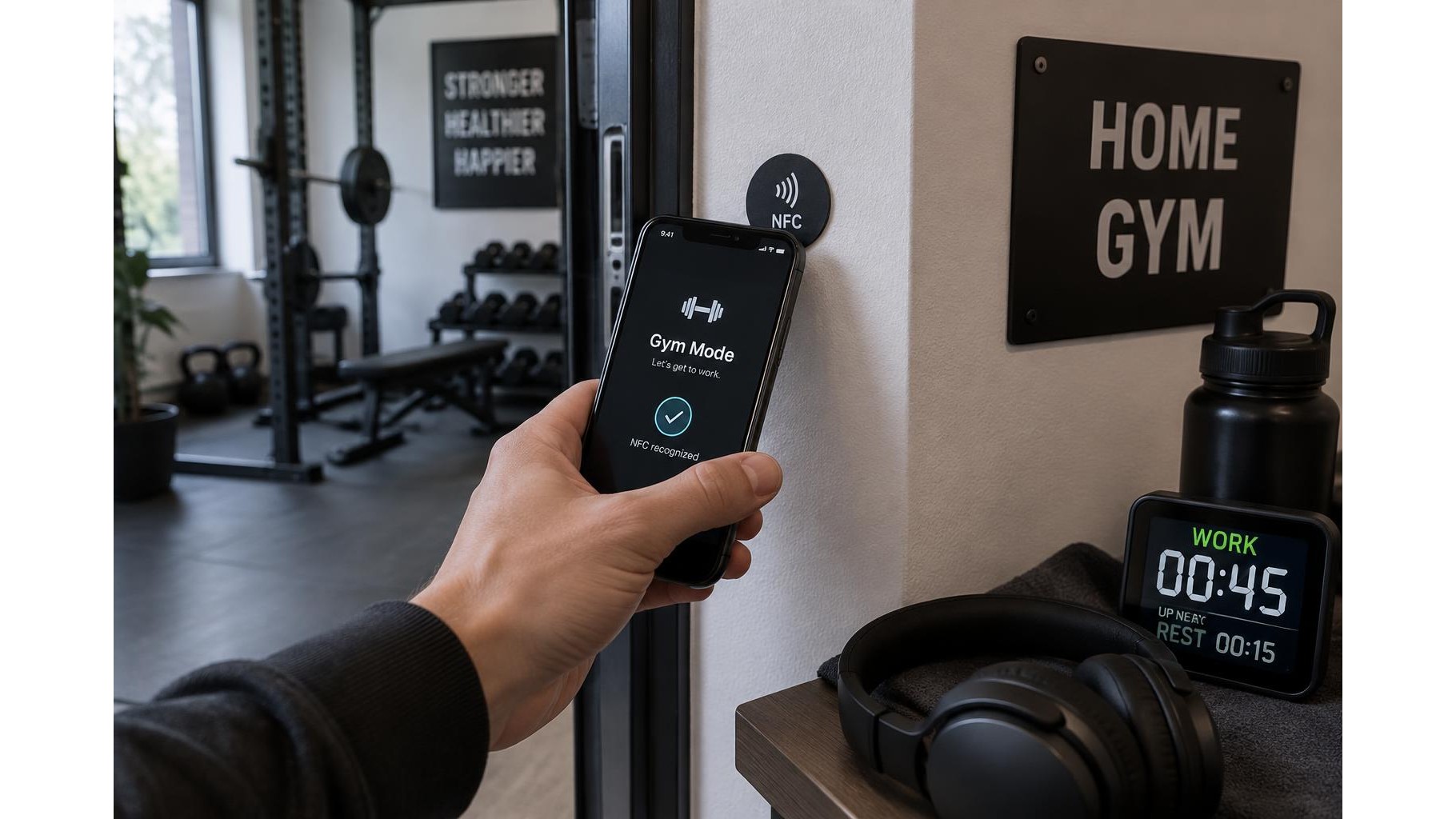
A home workout can start with a small delay: finding the right playlist, opening a timer, or checking what you planned to train. An inexpensive NFC tag can turn that setup into a single tap. Place one near your gym entrance, scan it with a compatible phone, and trigger a shortcut to the tools you use most. You do not need specialist fitness equipment or programming skills—just a tag, a smartphone, and a little setup time.
Check your phone and choose a tag
Most recent iPhones and Android phones can read NFC tags, though support and shortcut options vary by model and operating-system version. On iPhone, background tag reading is available on many newer models; older devices may require opening a reader or shortcut first. On Android, NFC usually needs to be switched on in Settings, and some phones may need to be unlocked before a tag can trigger an action. Check your device’s settings and help pages before buying. For a basic routine, look for writable NFC stickers or cards that use a widely supported chip such as NTAG213 or NTAG215. Tags are inexpensive, but confirm that your phone can write to and read the chosen type. Start with one tag and test it before placing more around the room.
Decide what one tap should do
Keep the first automation simple. A tag might open a workout timer, launch a saved playlist, display training notes, or open your training app. On iPhone, the Shortcuts app can create a personal automation triggered by NFC; add actions such as opening an app or playing audio, then select the tag during setup. On Android, available options depend on the phone and apps installed: use an NFC automation app or a built-in routine feature if your device offers one. Some actions may need confirmation or an unlocked screen. Test each step in the order you expect to use it, and avoid building a long chain of actions until the basics work reliably.
Write the tag and place it well
Use a compatible NFC writing app to save a web address or simple text to the tag, or assign the tag as the trigger within your phone’s automation app. A URL can open a timer page, playlist, or training notes, while a phone automation can do more if your operating system permits it. Mount the tag where you naturally pause before training, such as beside the gym door or on a shelf near your mat. Keep it away from metal surfaces unless the tag is designed for metal, since metal can interfere with reading. Add a small label so you know where to tap. Try several scans from different phone positions before securing the sticker permanently.
Protect your privacy and avoid risky actions
An NFC tag is not a secure lock or a private storage device. Anyone nearby with a compatible phone may be able to read its contents, especially if it stores a plain URL or text. Do not write passwords, personal information, payment details, or private health notes onto a tag. Prefer links that reveal no sensitive data, and check what your automation opens before using it. A tag can also be replaced or rewritten, so do not rely on it to authorize access to accounts or equipment. If you share your home gym, tell other users what the tag does and avoid actions that unexpectedly start loud audio or change connected devices.
Build in a quick fallback
Tags can fail to scan because of phone cases, positioning, disabled NFC, or a low battery. Make the routine easy to start manually: keep the timer and playlist on your home screen, bookmark your training notes, or pin your workout app. If a scan does nothing, unlock the phone, check NFC settings, remove a thick or metal case, and tap the phone’s NFC area against the tag again. Test the setup after software updates and whenever you move the tag. A simple fallback means a failed scan is a minor inconvenience, not a reason to skip training.
One well-placed NFC tag can remove friction from the start of a workout by opening the timer, music, notes, or app you need. Check phone compatibility, keep the automation straightforward, protect private information, and retain a manual way to launch everything. With those basics in place, a single tap can help turn entering your home gym into a consistent training cue.