A tablet can do more than play workout videos: positioned well, it becomes a practical workout teleprompter for exercise cues, coaching notes and timed session plans. A glance at the screen can help you remember the next movement without stopping to pick up a phone or search through paper notes. With a few simple setup choices, you can keep instructions visible while staying focused on safe, controlled training.
Choose a clear, safe viewing position
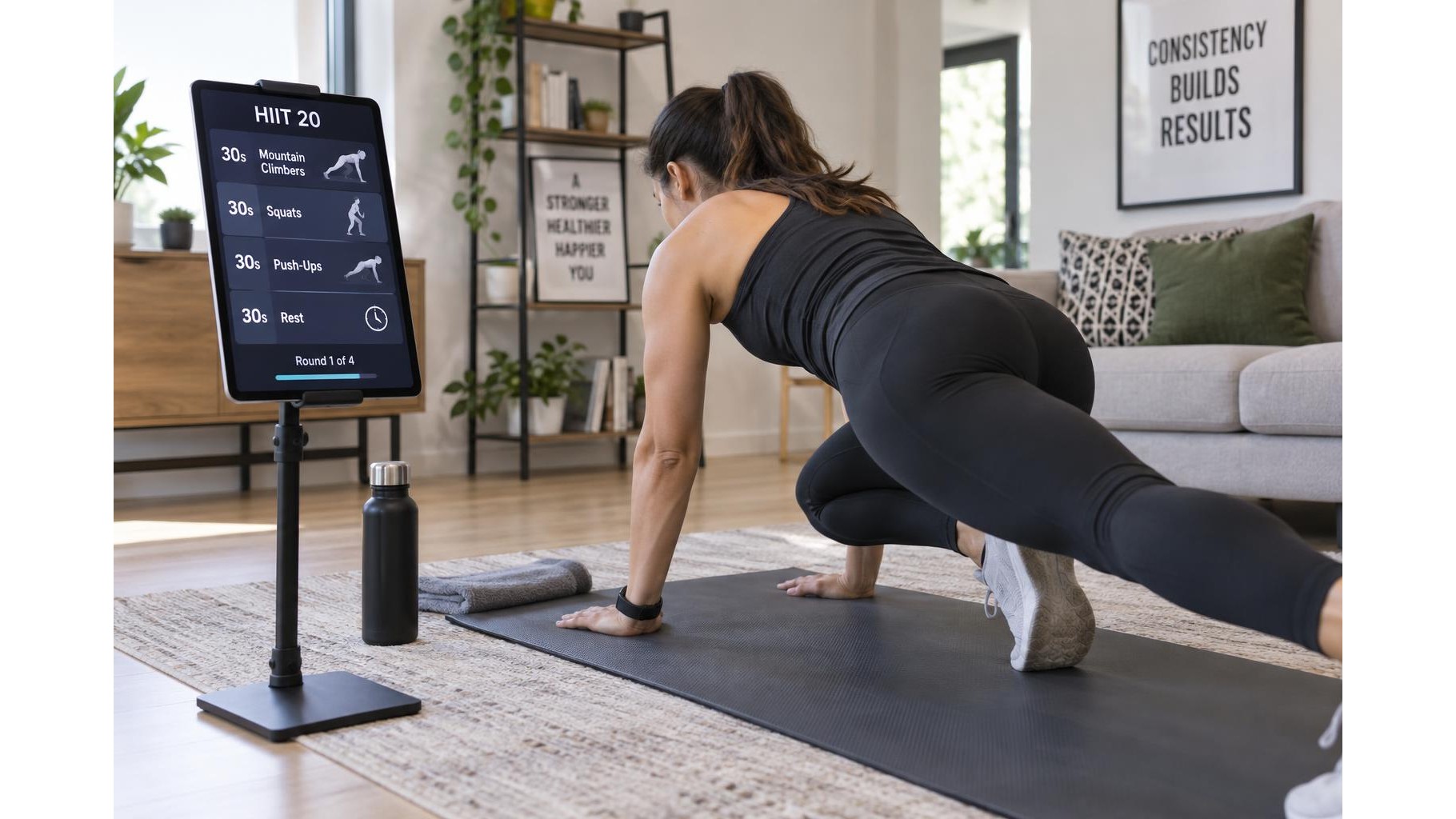
Place the tablet where you can read it with a brief glance, without turning your head sharply or stepping out of position. For floor exercises, a stable stand near the edge of your mat may work; for standing movements, position the display around eye level and slightly to one side of your training area. Keep it outside your movement path, away from weights and areas where it could be kicked or knocked over. Test the placement with a few repetitions before starting the session. If you need to lean, twist or move toward the screen to read it, adjust the distance, height or font size.
Prepare concise workout cues
A teleprompter is most useful when the information is easy to scan. Instead of copying long explanations, write short prompts such as “hips back,” “brace,” or “switch sides.” Put the exercise name, work interval and rest interval together so you can identify the next step quickly. For demonstrations, arrange movements in the order you plan to teach or perform them, and include only the reminders you are likely to forget. Large text, strong contrast and generous spacing make the screen easier to read from a distance. Avoid dense paragraphs that tempt you to stop and read mid-set.
Build a timed session plan
Organise the workout into clear blocks: warm-up, main exercises, recovery periods and cool-down. Add the number of rounds, repetitions or work and rest times beside each movement. A timer app or interval timer can support the plan, but keep the controls simple and set the session before you begin. If you need to switch between a timer and notes, use a layout that makes the next action obvious. For a class-style workout, write transition cues such as “rest,” “change sides” or “next station” so that the screen helps maintain a steady pace.
Keep controls accessible without reaching mid-set
Set brightness, volume, screen orientation and do-not-disturb settings before training. Choose a screen timeout long enough for the session, while keeping the tablet plugged in only if the cable can be routed safely away from your feet and equipment. If you use touch controls, leave the tablet within reach during planned breaks rather than reaching for it while lifting or balancing. Voice control may help with hands-free navigation, but check that it works reliably in your room. A sturdy, adjustable holder can improve viewing comfort; make sure its base or clamp is secure before placing the device.
Reduce interruptions and protect the device
Download any videos or notes you need in advance, close unrelated apps and silence non-essential notifications. Enable a focus mode or airplane mode if the workout does not require an internet connection. Keep the display away from sweat, water bottles and direct impact zones, and wipe it with a suitable cloth after training. Consider a simple backup, such as a printed sequence or memorised warm-up, in case the battery runs low or an app stops responding. The goal is not to watch the screen constantly, but to make each glance short and useful.
A tablet works best as a simple cue screen, not as the centre of your workout. Place it safely, prepare brief prompts, organise timings in advance and minimise notifications. These small steps make exercise demonstrations and home training plans easier to follow while leaving your attention on movement, breathing and form.