Turn your tablet into a training prompt
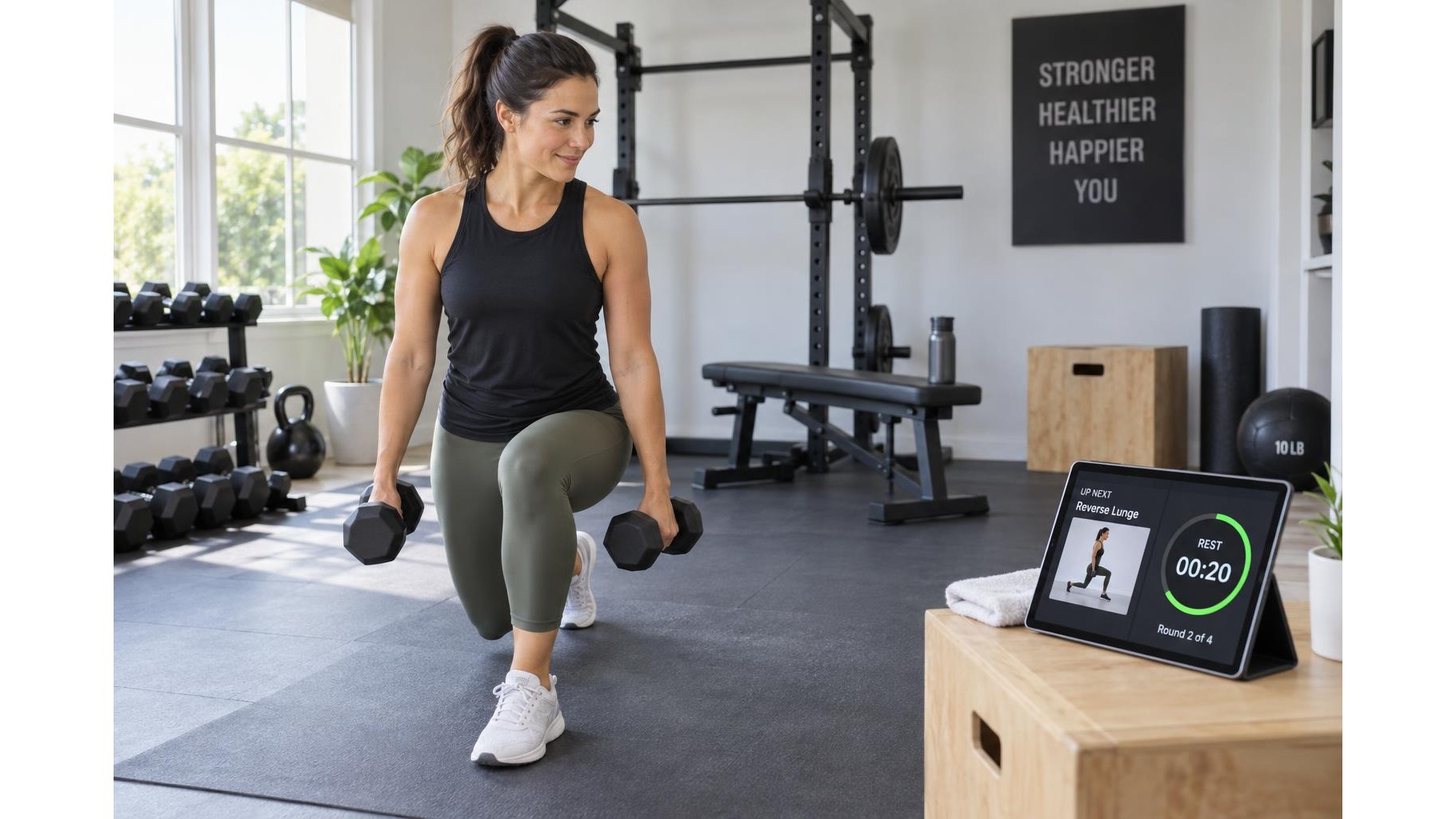
A tablet can act as a simple workout teleprompter, keeping exercise names, technique cues, sets and rest periods visible while you train. The key is to prepare a concise plan, position the screen where you can glance at it without interrupting movement, and make the text readable from a safe distance. You do not need specialised teleprompter software: a notes app, document, presentation or workout timer can all work.
Choose a practical display and mount
Write the session in a notes or document app, then set the tablet to stay awake for the workout. Use a stable, adjustable stand or securely mounted holder suited to your space; check its weight rating and locking points before placing the device. Position it outside your lifting, stepping and stretching path, away from moving equipment and where it cannot be struck by a bar, dumbbell or swinging arm. On the floor, avoid a low, forward-facing position that makes you repeatedly bend your neck. For floor exercises, move the display to a safe side position rather than placing it beneath or beside a working limb.
Make cues easy to scan
Keep each prompt short enough to understand at a glance. Use large text, strong contrast and generous spacing, and avoid dense paragraphs or decorative backgrounds. A useful entry might read: Goblet squat — 3 sets × 8 reps, followed by one or two cues such as “Brace; knees track over toes.” Put the next exercise and rest duration on a separate line. Increase screen brightness only as much as needed, and reduce glare by adjusting the tablet angle or changing the room lighting. Test readability from your actual training position before starting.
Set up accessibility and interruptions
Accessibility settings can make the display more comfortable: enlarge text, use a high-contrast or dark theme if it suits the room, and enable spoken content or screen reading when visual checking is difficult. Voice control can help advance a routine without touching the screen, but test commands first and keep them simple. Turn on Do Not Disturb or an equivalent focus mode so messages do not cover instructions. If using a timer, choose clear visual or audible alerts at a volume that remains noticeable without masking important environmental sounds.
Protect privacy and the device
Review what is visible before a session, especially if the tablet may show notifications, calendar entries, names or health information. Hide lock-screen previews, close unrelated apps and avoid mirroring a personal screen to a shared display. Keep the device away from sweat, water bottles and direct heat; wipe it with suitable materials after training. Secure cables so they cannot become trip hazards, and do not adjust a stand while holding weights or moving through an exercise.
Sample layout for a simple session
A one-screen plan can provide enough guidance without constant scrolling. For example:
- Warm-up: March in place, 3 minutes
- Chair squat: 3 × 8; brace, sit back; rest 60 seconds
- Incline push-up: 3 × 8; straight body, controlled lowering; rest 60 seconds
- Hip hinge: 3 × 10; push hips back, keep spine neutral; rest 60 seconds
- Cool-down: Easy breathing and comfortable mobility, 3 minutes
Adjust repetitions and exercises to your ability, and stop if you feel pain, dizziness or unusual shortness of breath. With a stable position, readable cues and privacy settings in place, a tablet can keep a home workout organised while letting you focus on safe movement.