A simple spreadsheet can turn scattered workout notes into a clear record of how your training is changing. By logging exercises, loads, repetitions and a few session details, you can compare like with like, spot gradual progress and make more informed decisions about your home workouts. You do not need advanced formulas or specialist software: a basic spreadsheet on a phone, tablet or computer is enough.
Choose a layout you will actually use
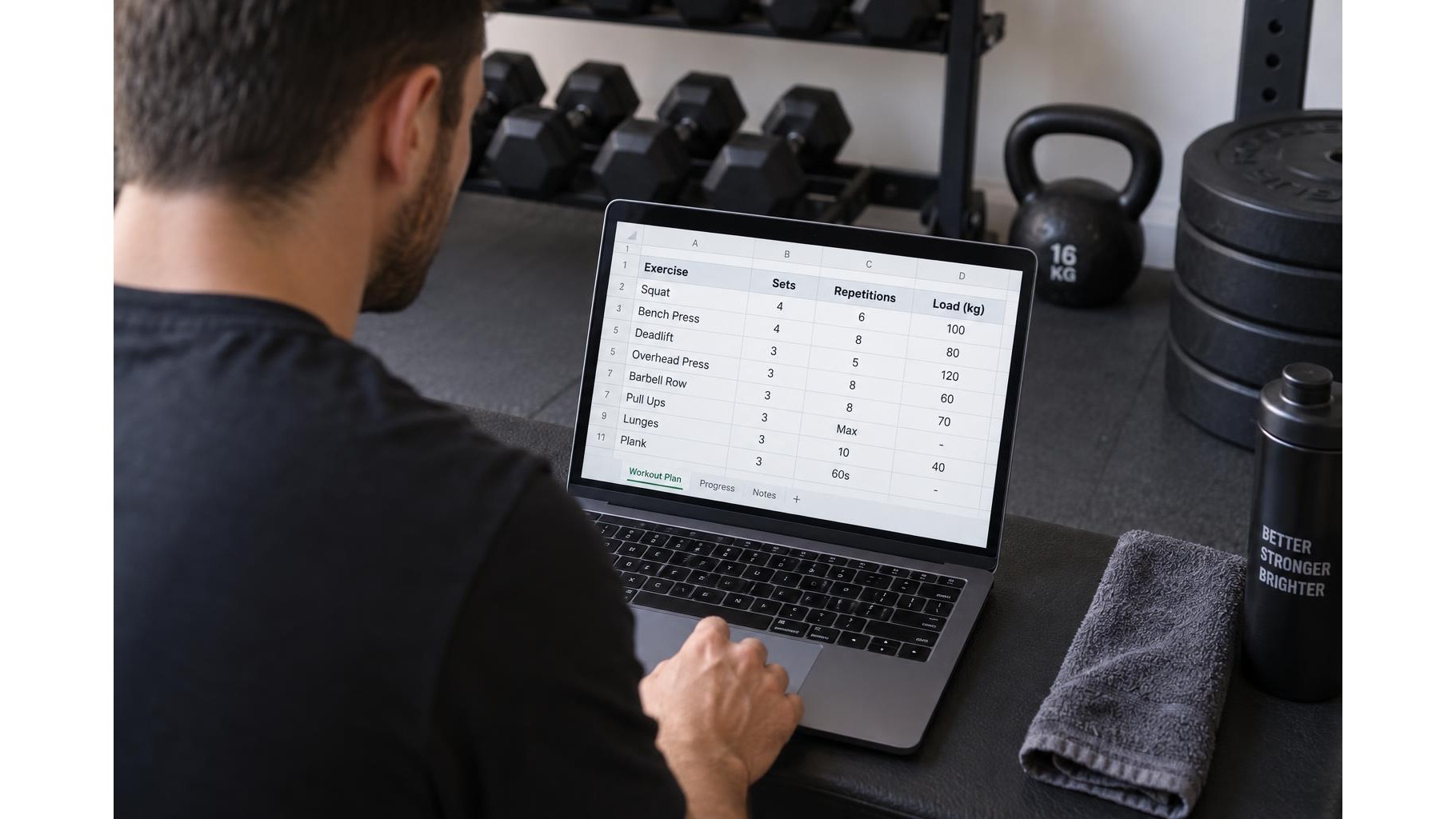
Start with one row for each exercise performed, rather than one row for an entire session. This makes it easier to compare the same movement across different dates. Useful columns include date, exercise, sets, repetitions, load, and a short note. Add a session or workout name if you follow different routines, such as upper-body and lower-body days. Keep labels consistent: use the same exercise name and units each time, and record bodyweight exercises in a repeatable way. A straightforward layout is more valuable than a complicated tracker you stop updating.
Record loads and repetitions clearly
For each exercise, decide how you will enter the work. You can use one row per set, with separate columns for set number, reps and load, or record a compact entry such as “3 sets: 10, 9, 8 reps” if you prefer fewer rows. One row per set gives you more detail when performance varies between sets; one row per exercise is faster to maintain. Choose a method and stick with it. Record units, such as kilograms or pounds, in the column heading, and do not mix them. For bodyweight movements, note assistance or added weight where relevant.
Add context with brief session notes
Numbers do not explain everything. A short note can capture factors that influenced a workout, such as poor sleep, a change in equipment, limited time, or an unusually difficult final set. You might also note perceived effort using a simple, consistent scale, or whether you completed the planned range of motion. Keep notes factual and brief; the aim is to add context, not write a diary. If pain or unusual symptoms occur, record them and consider adjusting training or seeking appropriate professional advice rather than treating a spreadsheet as medical guidance.
Review trends, not single workouts
A single session can be affected by fatigue, stress, schedule changes or ordinary day-to-day variation. Avoid interpreting one lower-rep workout as proof that you have lost progress. Instead, compare several recent sessions for the same exercise and look for a pattern over time. You can review whether the load is gradually increasing, whether you are completing more repetitions at a similar load, or whether a planned target is becoming more consistent. Compare similar conditions where possible, and remember that progress may include better technique, steadier effort or improved consistency—not only heavier weights.
Keep the file organised and easy to access
Save the tracker in a familiar spreadsheet app and choose a clear file name, such as “Home Training Log”. Cloud storage can help keep the same document available across devices, but check that syncing is enabled and that you can access the file before a session. Avoid creating multiple competing copies; if you export a backup, label it with the date. Use simple formatting, filters or a separate tab for each training block only if they make entries easier to find. Since the file contains personal information, use a device lock and sensible account security, and avoid sharing the sheet publicly.
A useful home workout progress spreadsheet is simple, consistent and reviewed with patience. Track the details that help you make decisions, add brief context, and compare several sessions rather than reacting to one result. Keep the file accessible and organised, then use its patterns to guide realistic adjustments to your training.