Turning your TV into a fitness dashboard is one of the easiest ways to level up your home workouts without buying extra gear. Modern smart TVs already include powerful processors, large bright panels and solid connectivity. With the right combination of built‑in apps, simple settings and a few optional accessories, your living‑room screen can show workout videos, timers, heart rate and even basic training logs, so you can focus on moving instead of juggling devices.
Set up your smart TV as a dedicated fitness profile
The first step is to treat your TV like a dedicated training hub. Dive into your TV’s app store and look for fitness apps that match your style: HIIT, yoga, strength or dance. Most brands (Samsung, LG, Android TV, Fire TV, Google TV) offer native apps with guided workouts, structured programs, and integrated on‑screen timers. Create a separate user profile or home screen row just for fitness, pinning your favourite apps and YouTube workout channels to the top for one‑click access. Disable notifications from other apps during sessions to keep the screen clean and distraction‑free, and increase the picture mode brightness so countdowns and rep counters stay clearly visible even during fast circuits.
Use screen mirroring for flexible workout dashboards
If your TV’s native apps feel limited, use screen mirroring (AirPlay, Chromecast, Miracast or manufacturer casting) from your phone or tablet to build richer fitness dashboards. Start your favourite training app on mobile, then cast it to the TV so the big screen shows video coaching, while your phone still handles touch controls and data entry. Many popular fitness apps display live heart rate, interval timers and calorie stats on the same screen, effectively turning your TV into a giant progress board. Keep your phone on a stand nearby to quickly switch workouts or adjust the layout, and use landscape mode on mobile for a cleaner, wider dashboard view on the TV.
Display heart rate and performance metrics on the big screen
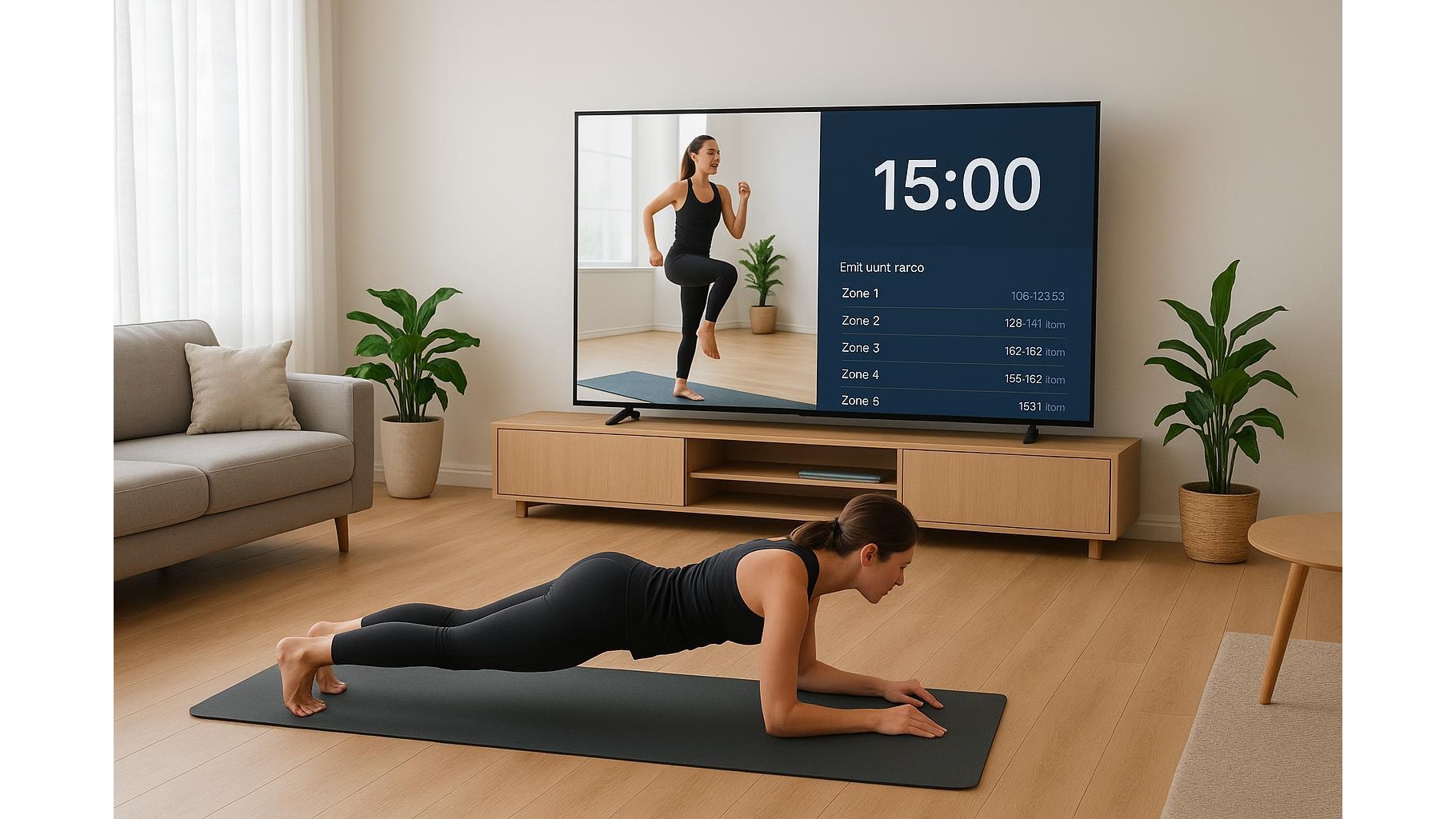
To bring heart rate and performance data onto your TV without buying a full gym console, pair your wearable with your smartphone and mirror the app. Most smartwatches and Bluetooth heart rate straps send live data to companion apps that include large, high‑contrast number displays and colour zones (for example, green for easy, red for max effort). When mirrored, these metrics become easy to read from across the room. Organise your dashboard so that the top of the screen shows heart rate and zone, the centre shows exercise demos or live video, and the bottom displays set counts or pace. This layout helps you glance quickly at intensity without breaking form or moving closer to the screen.
Create simple on‑screen timers and interval widgets
Timers are the backbone of home HIIT, EMOM and Tabata sessions, and your TV can host them with almost no setup. Many free timer websites offer full‑screen countdowns, Tabata clocks and round timers that you can open via the TV’s web browser. For a cleaner experience, bookmark your favourite timer pages and add them to the TV’s home screen. If you prefer mobile apps, run a dedicated interval timer on your phone and mirror it so the TV shows bold digits, progress bars and rest indicators. Combine picture‑in‑picture on some TVs or casting devices to place a small timer widget over a workout video, keeping technique and timing in view at the same time.
Log workouts and track progress right from the sofa
Your TV can also act as a basic training log so you see progress every time you train. Use cloud‑based note apps or spreadsheets that open in a TV browser: create simple templates with exercises, sets, reps and weights. After each set, quickly update the log from your phone or a Bluetooth keyboard, while the TV shows the full session overview. When you mirror a fitness app with built‑in logging, keep your current session on screen but also access weekly and monthly charts to spot trends in volume and intensity. Having your history visible on the big screen before you start a session is a powerful motivator, reminding you of personal records and encouraging consistent progression.
Transforming your smart TV into a fitness dashboard is less about buying gadgets and more about combining existing features: built‑in fitness apps, screen mirroring, simple timer widgets and cloud‑based workout logs. By deliberately arranging your TV layout to show the right mix of video coaching, metrics and timers, your living room becomes a focused, data‑rich training hub. Start with one or two ideas—like casting your favourite app and adding a full‑screen interval timer—then refine your setup over time until your TV supports every phase of your home workout, from warm‑up to cool‑down.