Building a shared home gym often means sharing smartwatches, fitness consoles and training apps among parents, teens and kids. Without clear family profiles and privacy settings, data like location, heart rate and sleep can easily get mixed up or exposed. This guide explains how to set up separate accounts, manage permissions and protect everyone’s data while keeping motivation high for the whole household.
Why family profiles matter on fitness devices
Most modern fitness devices and home workout apps are designed around a single user, but families need separate profiles to keep health metrics accurate and private. When everyone trains under the same profile, calorie estimates, step counts and training load become meaningless. Separate family profiles let each person track progress, goals and recovery while preventing accidental access to another member’s data. They also give parents oversight on kids’ and teens’ activity without sharing adult-level information like detailed location history or heart rate variability, which may feel too intrusive or sensitive.
Setting up individual accounts on smartwatches and wearables
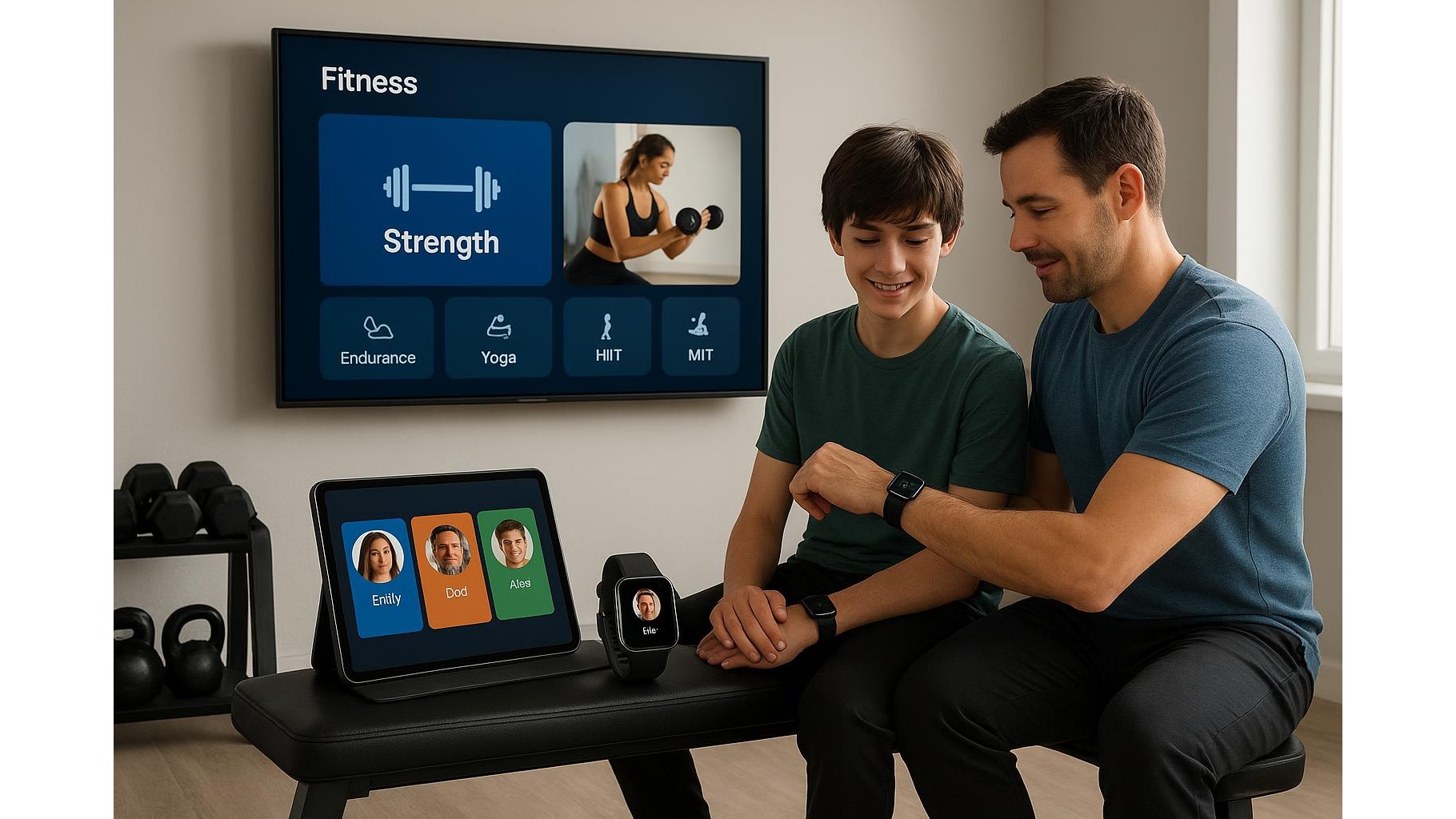
On smartwatches and fitness trackers, start by creating a dedicated account for each family member where possible. During setup, enter age, height and weight accurately so training metrics such as calories, zones and VO2 estimates are realistic. For children, check if the platform offers child or teen profiles with limited data sharing and simplified views. Disable sharing of precise location for younger users, and restrict which contacts can see activity rings or workout summaries. Where a device cannot handle multiple users, avoid sharing it between adults and children; instead, dedicate that wearable to one person so their health and sleep data remains consistent and private.
Managing privacy on consoles and smart TV fitness platforms
Many home gyms rely on fitness consoles, smart TVs or streaming sticks for guided workouts. Create separate profiles on the console so each user has their own workout history and recommendation feed. In the settings, review what data the platform stores and shares: switch off public leaderboards for kids’ accounts, use nicknames instead of real names, and disable automatic posting to social media. For camera-based workouts, turn off video recording and cloud uploads by default, and explain to teens when the camera is active. Regularly clear voice commands or search history on shared devices so private health queries do not remain visible to everyone in the household.
Safe configuration of fitness apps for kids and teens
Fitness and workout apps typically collect detailed health and activity data, which is especially sensitive for younger users. When creating a kid or teen account, use a parent-managed email where possible and enable parental controls. Disable in-app public chats, open groups and follower features unless you can fully moderate them. Limit data sharing to what is necessary: for example, allow step counts and activity time, but block sharing of heart rate graphs or exact GPS routes. Discuss with teens how social fitness features work, including streaks and challenges, so they can recognise unhealthy pressure to overtrain. Revisit these settings regularly as children grow and start making their own choices about privacy vs. motivation.
House rules for data, devices and shared spaces
Technology alone cannot fully protect family privacy; you also need simple, clear house rules. Agree that no one opens another person’s fitness app or reads their stats without permission. Set expectations on when and where location tracking is allowed, especially for teens who train outdoors. Encourage open conversations about body image, weight and performance metrics so that numbers from wearables do not create anxiety or competition. In the physical home gym space, position screens so personal health details are not constantly visible to everyone. Combine thoughtful device configuration with respectful habits and you will create a safer, more motivating environment for the whole family.
In a shared home gym, good privacy management is as important as good equipment. By setting up distinct family profiles, configuring permissions carefully on wearables, consoles and apps, and establishing house rules for data access, you protect sensitive health information while still enjoying the benefits of connected fitness. This balanced approach helps parents, teens and children train together confidently, stay motivated, and build sustainable fitness habits without sacrificing their digital privacy.