A useful home workout dashboard does not need a subscription, specialist equipment or a complicated app. With a spare laptop, tablet or monitor and a few free browser-based tools, you can keep your training plan, interval timer and workout log visible together. The goal is not to build a perfect tech setup: it is to reduce interruptions, make the next exercise obvious and record enough information to track progress.
Choose a screen and a practical location
Start with any spare screen that can open a web browser: an old laptop, tablet, desktop monitor connected to a computer, or even a phone in a pinch. Place it where you can glance at it between sets without creating a trip hazard or obstructing your training area. A larger display is easier to read from a distance, but a small screen can work if you keep the layout simple. Check that the device can reach your Wi-Fi and has a reliable power source. If you use a monitor, connect it to a computer or compatible device; the screen alone will not run browser tools. Keep cables away from moving equipment and, where possible, position the device outside your lifting or exercise path.
Bring your training plan into the browser
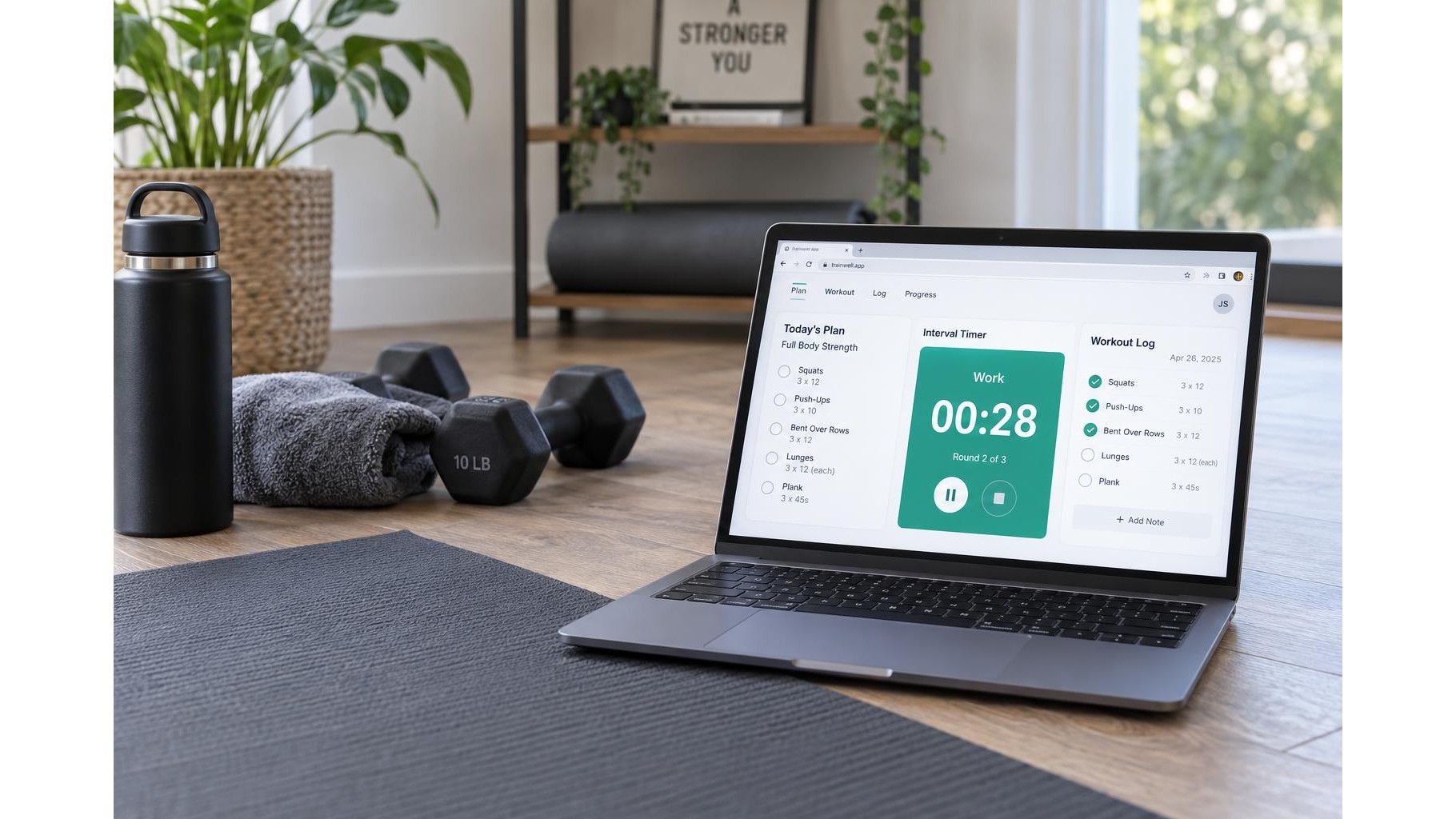
Use a free online document, spreadsheet or notes page to display the day’s session. A spreadsheet is handy for a workout plan because you can organise exercises into columns for sets, reps, rest and notes. A simple document is often better if you prefer a clear, uncluttered list. Prepare the session before training, then make the current exercise easy to spot with bold text or a highlight. Avoid filling the page with a full training history or long explanations: the screen should answer “What am I doing next?” at a glance. Save the page as a browser bookmark so it is quick to reopen.
Keep an interval timer within easy reach
Open a free browser-based interval timer in another tab. Choose a tool that lets you set work and rest periods, repeat rounds and use a clear visual countdown. Test the sound before your workout, especially if you train with headphones or share your space. If audible alerts are unsuitable, choose a timer with a large changing display and check it between movements. You can keep the plan and timer in separate tabs, or use your browser’s split-screen feature if available. Resist the urge to add multiple clocks and widgets: a timer that is readable and predictable is more useful than a crowded dashboard.
Log the session with minimal effort
A basic spreadsheet or online form can serve as your workout log. Record the date, exercise, load or variation, completed reps and a short note about effort or technique. For bodyweight training, note the movement variation and total repetitions rather than trying to capture every detail. Keep the log open in a separate tab, and update it between exercises or immediately after the session. Consistent, brief entries make it easier to spot gradual progress and identify when a plan needs adjusting. If you share the device, sign out when finished and avoid leaving sensitive personal information visible.
Arrange the dashboard for fast use
For a straightforward setup, open the plan, timer and log in three browser tabs and pin them for quick access. If your device supports split-screen windows, give the plan the largest area, keep the countdown prominent and leave the log accessible without letting it dominate. Increase browser zoom or text size until you can read the key information from your normal training position. Close unrelated tabs, silence distracting notifications and test the complete arrangement before your first workout. A spare screen does not need to be permanently dedicated to fitness; bookmarks and a saved window layout make it easy to switch back to everyday use.
A simple dashboard works best when it is clear, quick and private. Combine a prepared plan, a dependable timer and a lightweight log, then adjust the layout after a few sessions. Use reputable services, review sharing permissions and do not display account details where others can see them. With browser tools you already have, a spare screen can become a practical training companion without specialist hardware or unnecessary complexity.