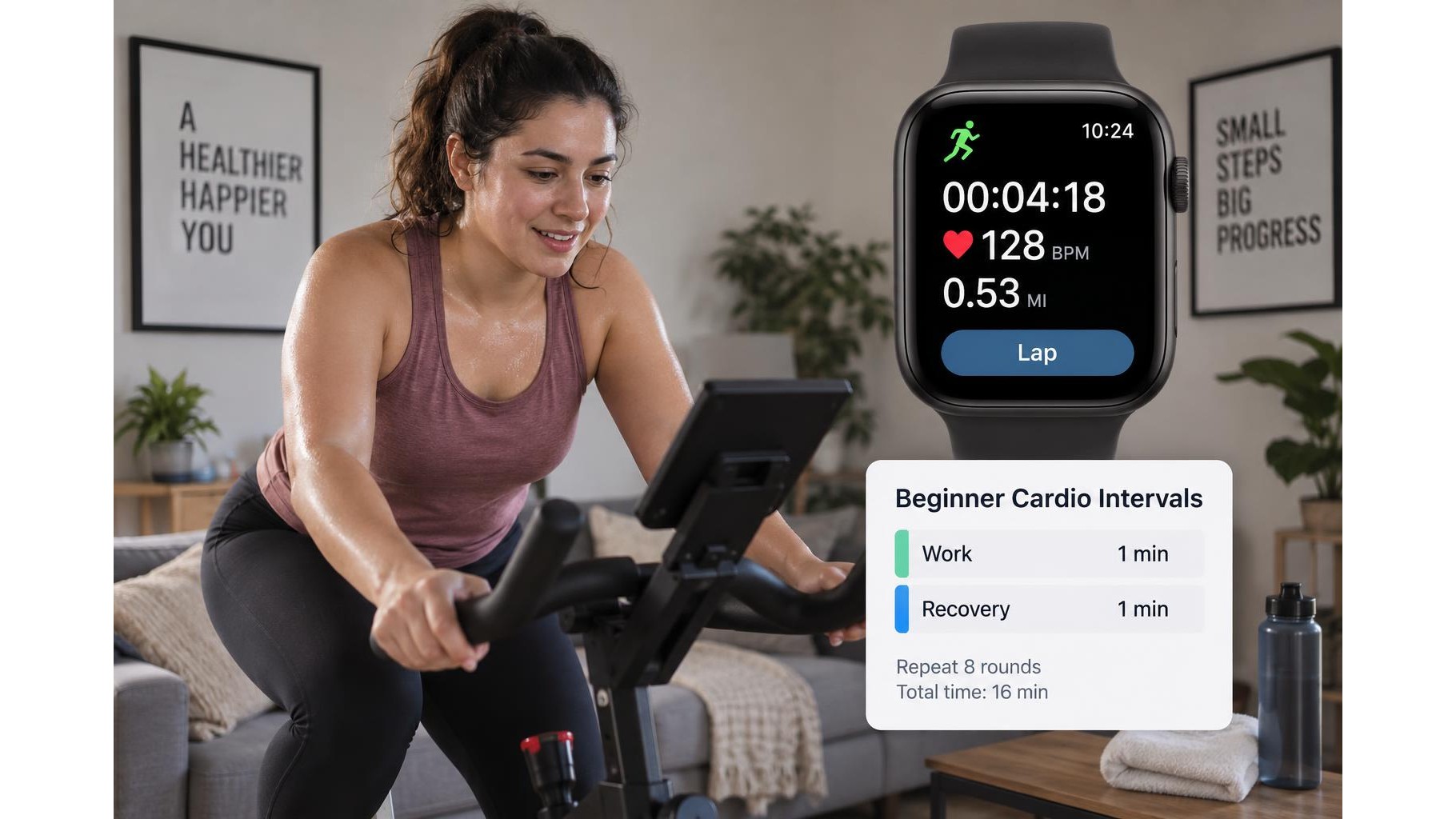
A smartwatch lap button can do more than mark distance during a run. In a home cardio session, it can act as a simple manual timer marker: press it when a work or recovery period begins, then use the recorded splits to review how consistently you followed your plan. You do not need a complicated workout app, but it helps to set up the watch and practise the button sequence before you start moving.
Choose a simple interval pattern
Begin with a format that is easy to remember, such as one minute of brisk effort followed by one minute of easy movement, repeated six times. You could use the same approach for cycling, step-ups, dancing, or a low-impact cardio circuit. Decide in advance what counts as the start of each interval and whether your first lap will mark the opening work period or the warm-up. A written plan or a short note on the floor can help if you are new to intervals. Keep the first session comfortable enough that you can maintain good technique throughout.
Set up the watch before exercising
Start the watch’s activity mode and check that the lap function is available on the screen or through a physical button. Button behaviour differs between models: on some watches a press records a lap, while on others the controls may be locked or assigned differently. Confirm the setting in the device instructions, then test it while standing still. Set a quiet screen, disable unnecessary notifications, and choose a display you can glance at safely. If you use an automatic lap feature, consider turning it off for this session so it does not add extra markers that confuse your manual interval records.
Mark work and recovery periods
Use one deliberate press at each planned transition. For example, press at the start of the first work interval, again when recovery begins, and once more when the next work interval starts. Continue in the same pattern until the final recovery period. The watch records elapsed time between presses, so your splits should roughly match the planned duration. Avoid tapping repeatedly to check whether the button worked; that can create extra laps. If you miss a marker, keep exercising and resume at the next transition rather than trying to correct the record mid-session.
Keep prompts from interrupting your session
Frequent alerts, bright screens, and spoken coaching can pull attention away from movement. Before starting, enable a focus or do-not-disturb mode if available, and leave only safety-critical alerts active. If the watch offers vibration cues, use a subtle setting and test it before the workout. Do not stare at the display while stepping, cycling, or changing direction. Make transitions gradual, especially when exercising in a small room, and keep the device secure on your wrist. The lap button is a record-keeping aid, not a substitute for listening to your body or checking your surroundings.
Review splits and adjust the next workout
After cooling down, open the activity summary and compare each split with your intended work and recovery lengths. Look for patterns rather than judging one imperfect interval: did the effort fade near the end, were recoveries too short, or did a missed press affect the record? Some watches label manual laps differently, so use the sequence of times to identify the intervals. If the data is confusing, simplify next time by using the lap button only at the start of each work period, or choose a more regular interval pattern. Record a brief note about effort and any button mistakes alongside the workout.
Used consistently, the lap button turns a basic watch feature into a practical home cardio interval tool. Pick a manageable pattern, practise the controls, mark transitions with single presses, and review the splits after your cool-down. Keep prompts quiet and prioritise safe movement over perfect data. As your fitness and confidence improve, you can adjust interval length or effort while keeping the same straightforward method.