Make indoor cycling data more meaningful
A Bluetooth cadence sensor can add a useful layer of information to an indoor ride. It measures how quickly you turn the pedals, giving you a cadence reading in revolutions per minute (RPM). That figure can help you follow a session plan, compare efforts and notice changes in your pedalling rhythm. It is not, on its own, a measure of fitness or cycling skill. For beginners, the aim is simple: pair the sensor correctly, check that the readings make sense, and use cadence as one piece of training feedback alongside effort and comfort.
Check compatibility before pairing
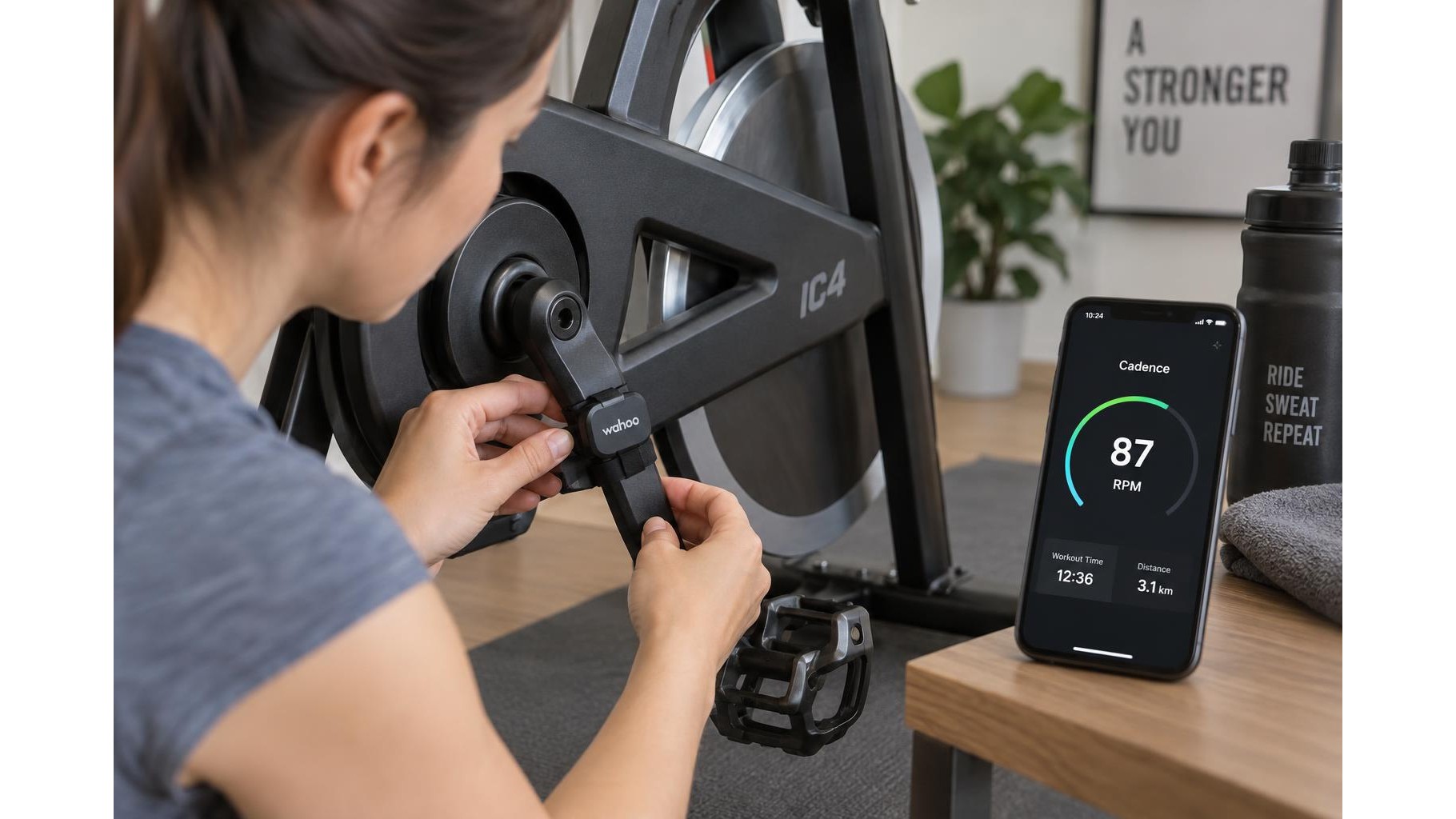
First, confirm that your sensor and the equipment you plan to use can communicate. Many sensors broadcast over Bluetooth Low Energy, but compatibility depends on the bike, indoor cycling app, phone or tablet, and sometimes the type of sensor connection supported by the app. Check the manufacturer’s instructions and the app’s device settings. A sensor may attach to a crank arm or, in some models, a shoe; follow its placement guidance rather than guessing. Install or check the battery, wake the sensor by turning the pedals, and keep your phone close during setup. In the app, look for an option such as “Sensors” or “Add device,” then select cadence when the sensor appears.
Pair once, then verify the signal
After pairing, start pedalling and check that the app displays a cadence value. If it does not, make sure the sensor is awake, Bluetooth is enabled, and the app has permission to connect to nearby devices. Close other cycling apps that may already be connected to the sensor, then try reconnecting. Some devices pair through the app rather than the phone’s general Bluetooth menu, so use the method specified by the app or sensor maker. Before a full workout, ride easily for a minute and check that the number responds when you pedal faster or slower. A steady zero, frozen figure or implausibly high reading suggests a connection, placement or configuration issue.
Understand what RPM tells you
Cadence counts pedal revolutions per minute: a reading of 80 RPM means the pedals complete 80 revolutions in a minute. It does not tell you how hard you are pushing. Resistance, gearing, power, heart rate and perceived effort all affect how demanding a ride feels. Two riders can pedal at the same cadence while producing very different effort. There is no single ideal number for everyone, and comfortable cadence can vary with experience, bike setup and workout purpose. Treat the display as a prompt to observe your rhythm, not as a score to chase or a verdict on your fitness.
Use cadence to structure sessions
Once readings are consistent, cadence can help make simple intervals more repeatable. For example, alternate a few minutes at a comfortable rhythm with a short period of slightly quicker pedalling, keeping resistance manageable. You could also practise holding a steady cadence during an easy endurance segment. Start with modest changes and use a warm-up and cool-down. If the app offers targets, choose ranges that feel smooth and controlled rather than forcing a specific RPM. Stop or ease off if you feel pain, dizziness or unusual discomfort. Cadence works best as one cue among several: pair it with perceived effort and, if available, heart-rate or power data.
Check consistency over time
For useful comparisons, keep your setup and recording habits similar. Confirm that the app is reading the same sensor each time, and note whether the sensor is on the crank or shoe. Compare cadence over similar parts of a workout, not a short burst from one ride with an easy warm-up from another. Occasional drops can happen because of a weak battery, interference, a loose sensor or app settings. If readings seem inconsistent, inspect the mounting, replace the battery if needed, and test again at an easy pace. A reliable trend matters more than a perfectly smooth graph.
Use the number as context, not a judgement
A Bluetooth cadence sensor makes indoor cycling data more actionable by showing how your pedalling rhythm changes through a session. Pair it with a compatible bike and app, verify that its readings respond sensibly, and use RPM to support gentle, structured practice. Keep resistance, comfort and effort in view, and judge progress through broader patterns rather than one isolated number. The most useful cadence target is one that helps you ride consistently and comfortably—not one that defines your fitness.