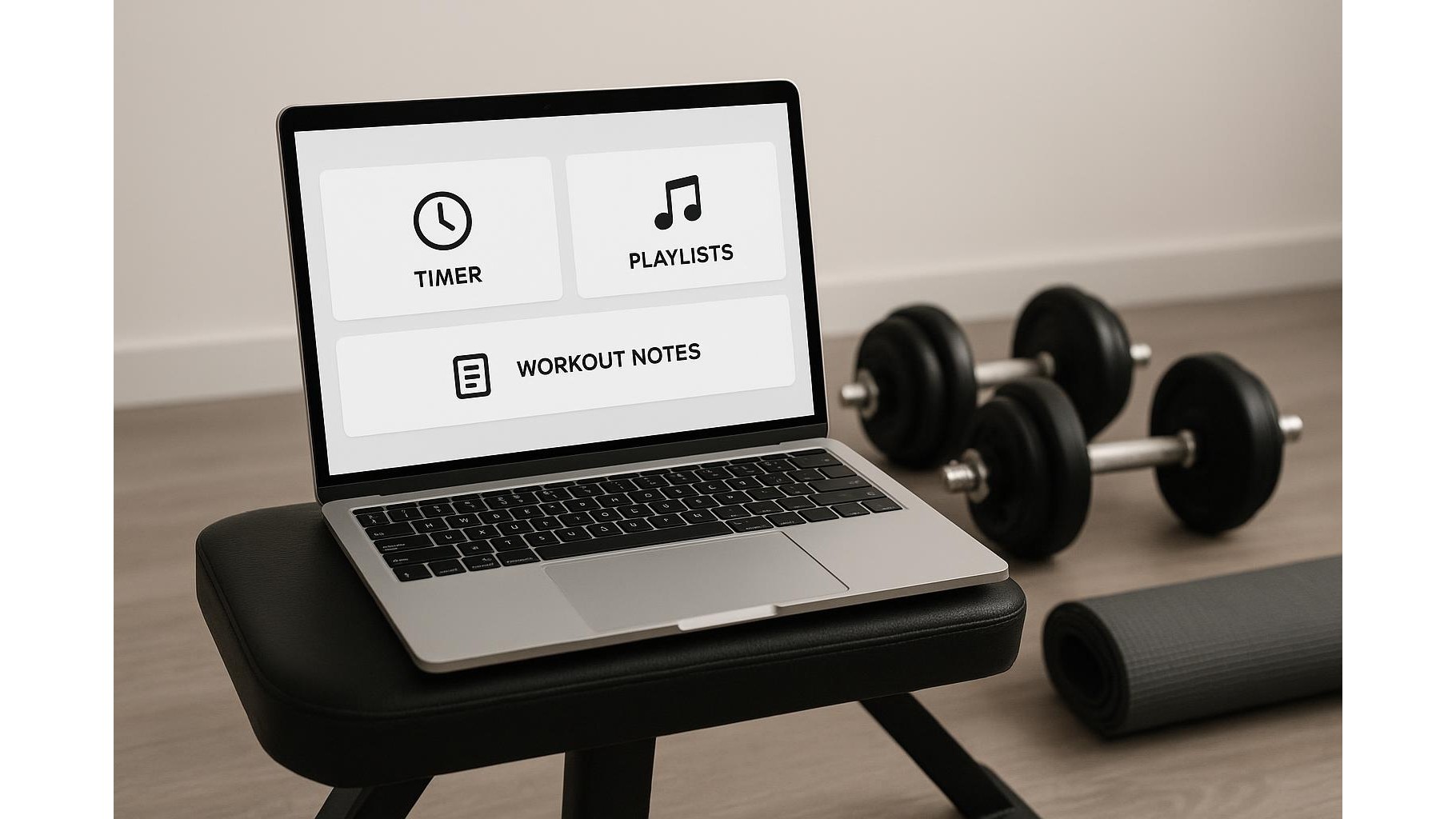
If you already train at home, your laptop, tablet or old desktop PC can become more than a screen for videos. With a smart, minimalist workout dashboard as your browser start page, you can centralise timers, playlists, routines and training logs in one clean view. No extra apps, no social feeds, just a focused home gym command center that loads every time you open your browser.
Why a browser start page beats yet another fitness app
Your browser is available on almost every device you own, and a custom start page opens instantly without additional logins or subscriptions. Instead of juggling multiple apps for music, timers and notes, you can pin everything you need into one distraction-free layout. A simple HTML page, a start-page extension or even a bookmarked online dashboard can host quick links to your favourite workout playlists, a basic online interval timer, and a tiny note area for sets, reps and weights. This keeps your focus on the session, not on navigating your phone.
Setting up a clean layout: bookmarks, blocks and sections
Begin by designing three core zones on your workout dashboard: one for bookmarks, one for timers, and one for training notes. In the bookmarks zone, create big, clearly labelled links such as “Warm-up”, “Strength A”, “Cardio finisher”, each pointing to a YouTube playlist, a music streaming mix or a written routine in Google Docs. In the timer zone, embed or link to a simple tabata or EMOM timer. For notes, use a lightweight tool like a browser-based sticky note or a cloud document you leave open in a small window. The key is visual simplicity: few colours, large fonts and only the elements you truly use every session.
Integrating timers, logs and playlists for friction-free sessions
Once the layout is ready, connect the pieces so your home workout flow feels automatic. A typical sequence might be: open your browser, your dashboard loads, you hit the “Today’s session” link, your playlist starts, and your embedded timer sits ready beside your log. Use clear labels such as “Upper Body Day” or “Mobility Reset” so you can start training in seconds. Keep your training log light: a date, the main lifts, sets, reps and a short note on how it felt. You can periodically copy these notes into a longer-term spreadsheet if you want deeper tracking, but the on-screen notes should stay fast and effortless.
Optimising focus: minimal notifications, maximum visibility
The power of a minimalist dashboard is that it filters out everything that does not serve your workout. Train in a browser profile dedicated to fitness, with no email, chat or social bookmarks in sight. Use a plain background colour or a calming image and rely on big, high-contrast text so you can read your workout cues from across the room. Hide your regular bookmarks bar during training, and keep only the dashboard tab open. This transforms your computer into a single-purpose training console, similar to the screen on a commercial gym machine, but tailored to your routines, tempo and goals.
Adapting your dashboard to different training styles
Because the system is browser-based, you can easily adjust it to your preferred training style. Strength-focused athletes can foreground a lifting log and rest timer; HIIT enthusiasts can prioritise large countdown timers and quick-access cardio playlists; mobility lovers might embed follow-along stretching videos and a short checklist of problem areas. Create separate bookmark groups or sections for “Quick 10-minute sessions”, “Full 45-minute workouts” and “Recovery days”. Over time, your dashboard becomes a personal home gym program hub, reflecting what you actually do, not what an app assumes you should do.
Turning your old browser home page into a home gym command center is a low-tech, high-impact upgrade. With a clean layout, embedded timers, direct links to routines and a simple note area for logs, you remove friction and decision fatigue from every session. Instead of scrolling through apps, you open one page and start moving. Build your minimalist workout dashboard once, refine it as you go, and let your browser quietly become the control panel for consistent, focused home training.