
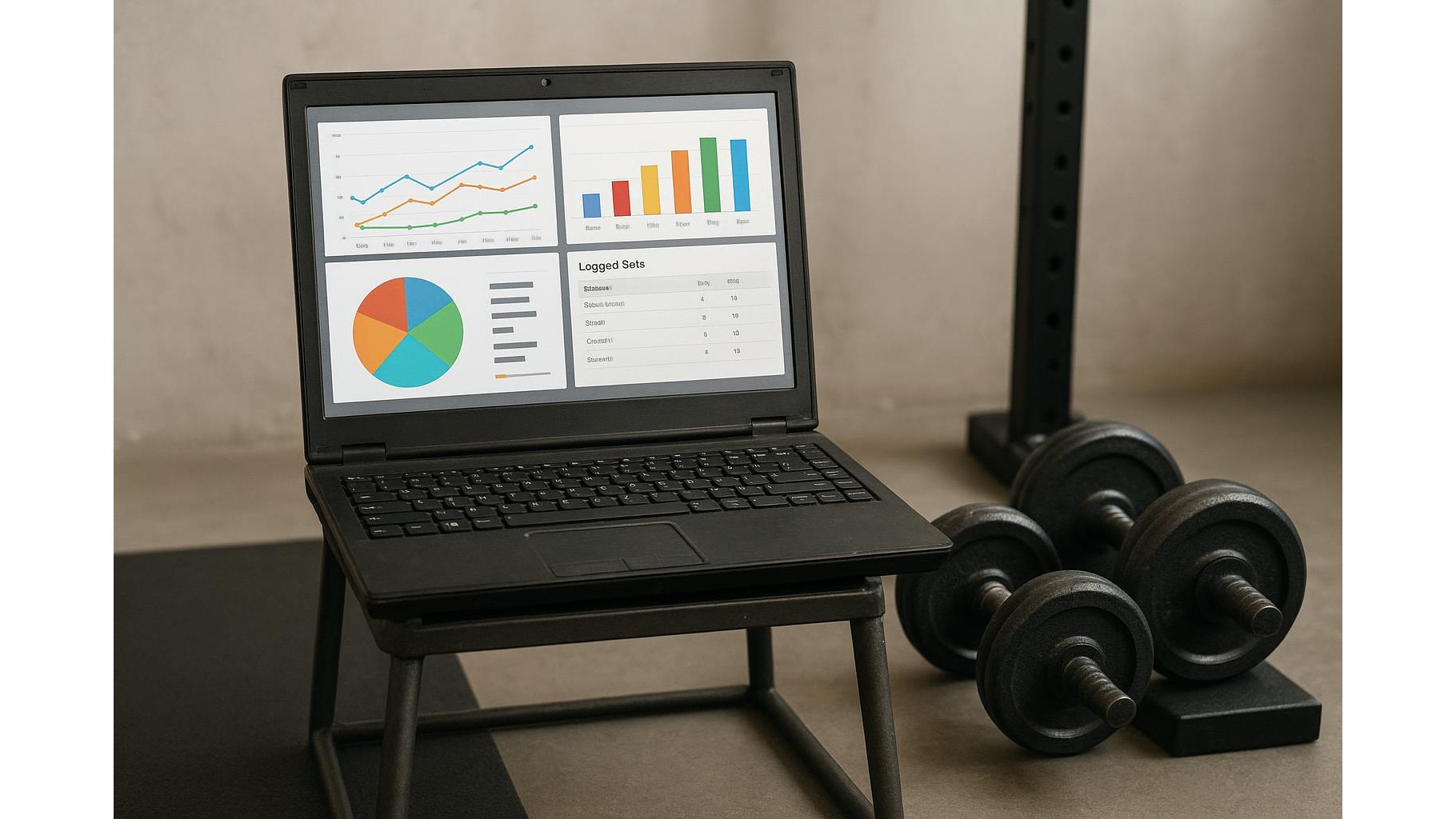
Turning an unused laptop into a dedicated home workout hub is one of the smartest upgrades you can make to your home gym. Instead of paying for subscriptions and sending your data to the cloud, you can run open‑source fitness software locally, log every training session and visualise your progress with private dashboards. In this guide, we’ll walk through how to repurpose an old machine into a reliable training data station that stays completely under your control.
Prepare your old laptop for gym duty
Start by giving the laptop a clean slate. Install a lightweight Linux distribution such as Ubuntu, Linux Mint or Pop!_OS, which run smoothly on older hardware and offer great support for open‑source fitness tools. Disable unnecessary background apps and set the laptop to never sleep while plugged in, so it can act like a small training kiosk. Place it where it’s easy to see during workouts, ideally on a stable surface or stand at eye level. Connect it to your home Wi‑Fi or, for maximum stability, use Ethernet via a simple USB or USB‑C adapter. From now on, think of this machine as a dedicated workout command centre rather than a general‑purpose computer.
Install local, open‑source logging software
The core of your new hub is the training log. Instead of cloud platforms, choose open‑source apps that save data locally. A practical combo is: a note‑taking tool like Joplin or Obsidian for structured workout templates, plus a self‑hosted database and dashboard system such as SQLite + a simple web UI or a lightweight analytics tool like Grafana connected to a local data store. Each session, you log sets, reps, weights, rest times and RPE directly on the laptop. Over time, this builds a rich history that you can query—completely offline, with no accounts or subscriptions. You remain the owner of your raw data, backup strategy and file structure.
Connect sensors and capture better training metrics
To unlock deeper workout analytics, pair your laptop with simple sensors such as heart‑rate straps or cadence sensors that support open standards like Bluetooth or ANT+. On Linux or Windows, software like GoldenCheetah (open‑source endurance analytics) or open‑source HRV tools can read data directly from these devices, letting you monitor intensity zones, recovery and trends. Although many commercial platforms push you into their ecosystems, the same hardware can often be used with local software that stores everything on disk. This approach is ideal for home athletes who care about privacy and long‑term access to their metrics without being locked into any single brand.
Build local dashboards and basic analytics
Once you’re logging consistently, turn the laptop into a live training dashboard. Use simple database tables (for example, one for strength training, one for conditioning) and plug them into an open‑source visualisation layer. With Grafana or similar tools running locally in a browser, you can create charts for volume per week, estimated 1RM over time, tonnage per movement pattern and session frequency. During a workout, keep the dashboard open to see recent performance and targets. Over months, these visual summaries make it easier to adjust your programming, spot plateaus and test new blocks. All analysis runs on your machine, so no third party ever sees your performance data.
Design a practical home gym workflow
A powerful hub is useless without a smooth workflow. Before training, open your workout template on the laptop and quickly customise loads or intervals. During sets, record results immediately—keyboard input is fast, but you can also use checklists or minimal forms to reduce clicks. Between sessions, spend a few minutes reviewing charts and notes: how did RPE match your plan, how is weekly volume trending, are you staying within your desired intensity zones? Treat the laptop as your training partner that handles memory and maths, so you can focus on execution. Because everything is local, you can train offline, in the garage or basement, without worrying about apps breaking, paywalls appearing or privacy settings changing.
By turning an unused laptop into a dedicated open‑source workout hub, you gain a private, subscription‑free system for logging and analysing your home training. With a clean operating system, local note‑taking and database tools, optional sensor support and simple dashboards, you have all the functionality of commercial platforms while keeping full control over your data. This setup scales with your goals—whether you lift twice a week or follow a full periodised plan—and remains under your control as long as the laptop powers on.









