
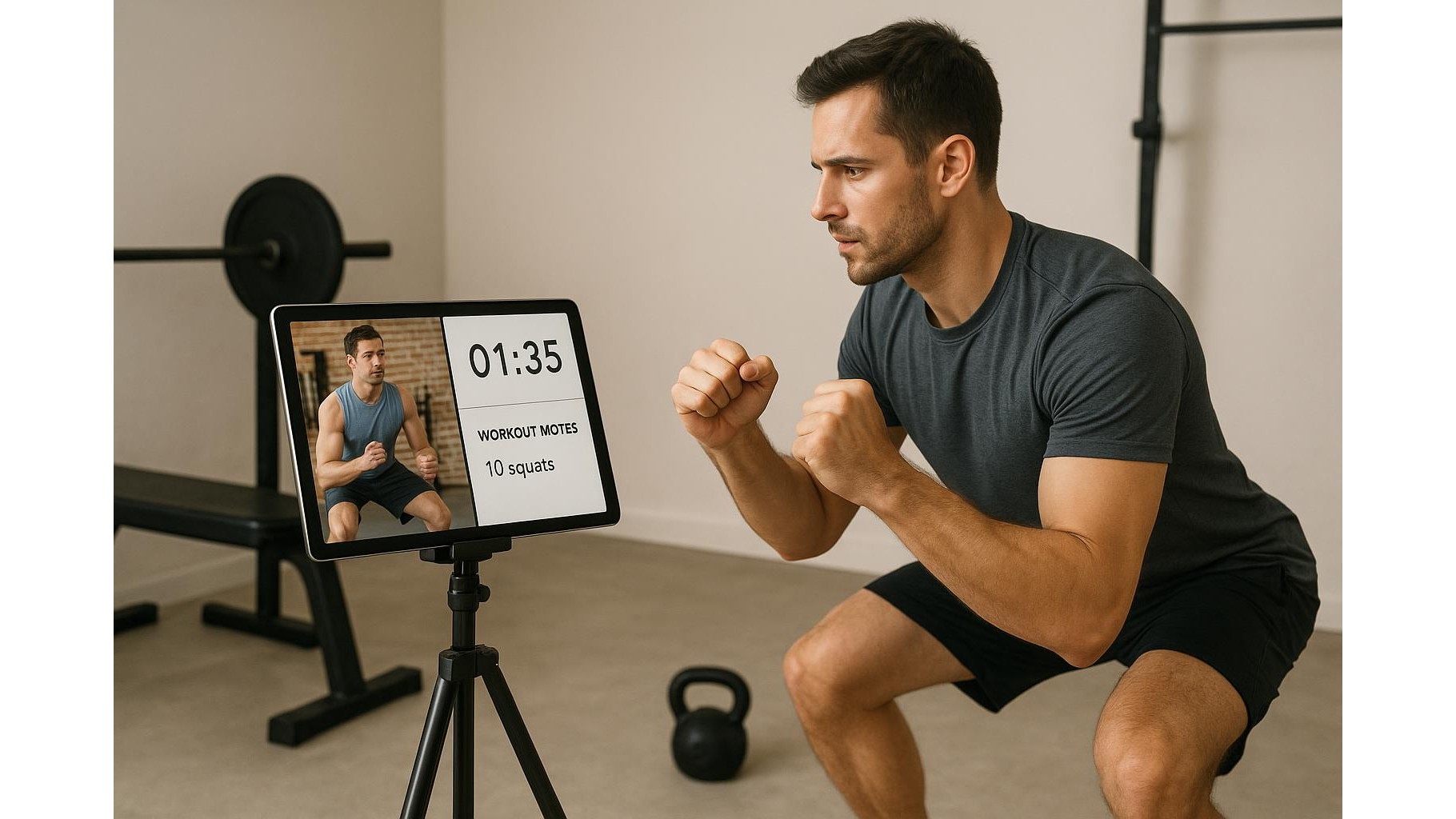
That old tablet gathering dust in a drawer can become the brain of your home gym. Instead of juggling your phone for workout videos, separate timer apps and training notes, you can repurpose a tablet into a dedicated split-screen workout hub. With the right settings and a simple stand, you’ll have coaching videos, interval timers and training logs all visible at once, making every session smoother and more focused.
Prepare your old tablet for gym duty
Start by giving your old tablet a fresh start. Perform a full backup (if you still need any data) and then do a factory reset so the device runs as smoothly as possible. Update the operating system to the latest version it supports and remove any unnecessary apps or bloatware. Disable non-essential notifications so your home workout hub won’t constantly be interrupted by social media or email pings. Finally, set the screen timeout to a longer duration or enable an always-on display mode while plugged in, so your workout video, timer and notes stay visible throughout your training without constant tapping.
Choose the best apps for video, timers and notes
To turn your tablet into a true multi-panel workout console, you need three core types of apps. First, pick your preferred workout video source: YouTube, a paid coaching platform, or a dedicated fitness app. Second, install a reliable interval timer that supports HIIT, EMOM and Tabata, allowing you to create custom routines with work and rest periods. Third, choose a simple but powerful note-taking or workout log app where you can store sets, reps, weights, and weekly plans. Favour apps with clean interfaces, offline functionality and good landscape-mode support so they remain readable in split-screen. Once installed, sign in, download any offline workouts you use regularly, and pre-build your favourite timer presets.
Set up split-screen layouts for efficient training
Most modern tablets support split-screen multitasking. In landscape mode, open your video app, then invoke split-screen from the system menu or recent-apps view and select your timer app as the second window. Adjust the divider so the video takes about two-thirds of the screen, leaving one-third for the timer. On some tablets, you can even add a floating window for your training notes, or quickly switch the secondary panel between timer and notes mid-session. Experiment with layouts: for strength work, you might prefer notes and timer visible; for technical drills, give more space to the video. Save these setups using any built-in multi-window presets so you can launch your home workout hub in seconds before training.
Optimize ergonomics, audio and power
To make your setup practical, place the tablet at eye level on a stable surface so you can clearly see your exercise demonstrations and countdown timers without craning your neck. Use a sturdy stand or repurpose a shelf at the end of your workout space, ensuring it’s far enough away to stay safe from sweat and accidental impacts. Connect the tablet to a set of Bluetooth speakers or earbuds so cues and beeps from your timer are easy to hear over background noise. Keep the tablet plugged into a reliable charger during longer sessions and reduce screen brightness slightly to avoid overheating. With these tweaks, your old tablet becomes a comfortable, always-ready gym console that doesn’t disrupt your training flow.
Build routines and track progress on your hub
Once your split-screen setup is in place, start building structured workout routines. Create playlists or saved collections of your favourite coaching videos, then match each routine with a preconfigured timer: for example, a HIIT workout playlist paired with a Tabata timer, or a strength block aligned with an EMOM timer. In your notes app, log each session’s exercises, sets, reps and perceived effort directly while the video and timer run. Over time, this transforms the tablet into a personal training logbook and coach combined, helping you spot progress, adjust loads and refine technique. Because everything is on one dedicated device, you’ll waste less time switching between screens and stay more present in every workout.
By repurposing an old tablet as a split-screen home workout hub, you centralise video coaching, timing and tracking into one compact device. With a clean operating system, carefully chosen apps, ergonomic placement and smart multi-window layouts, your former spare gadget becomes the command centre of your home gym. The result is a smoother, more focused training experience where every rep, interval and note is right in front of you, helping you stay consistent and make steady progress.









