Filming a workout can reveal details that are hard to notice while training: whether your back stays neutral, your knees track consistently, or your range of motion changes as you tire. A Bluetooth remote shutter lets you start recording without walking back to your phone between takes. With thoughtful camera placement, clear framing and a safe setup, you can review useful footage without putting equipment in your training space.
Choose a stable, safe camera position
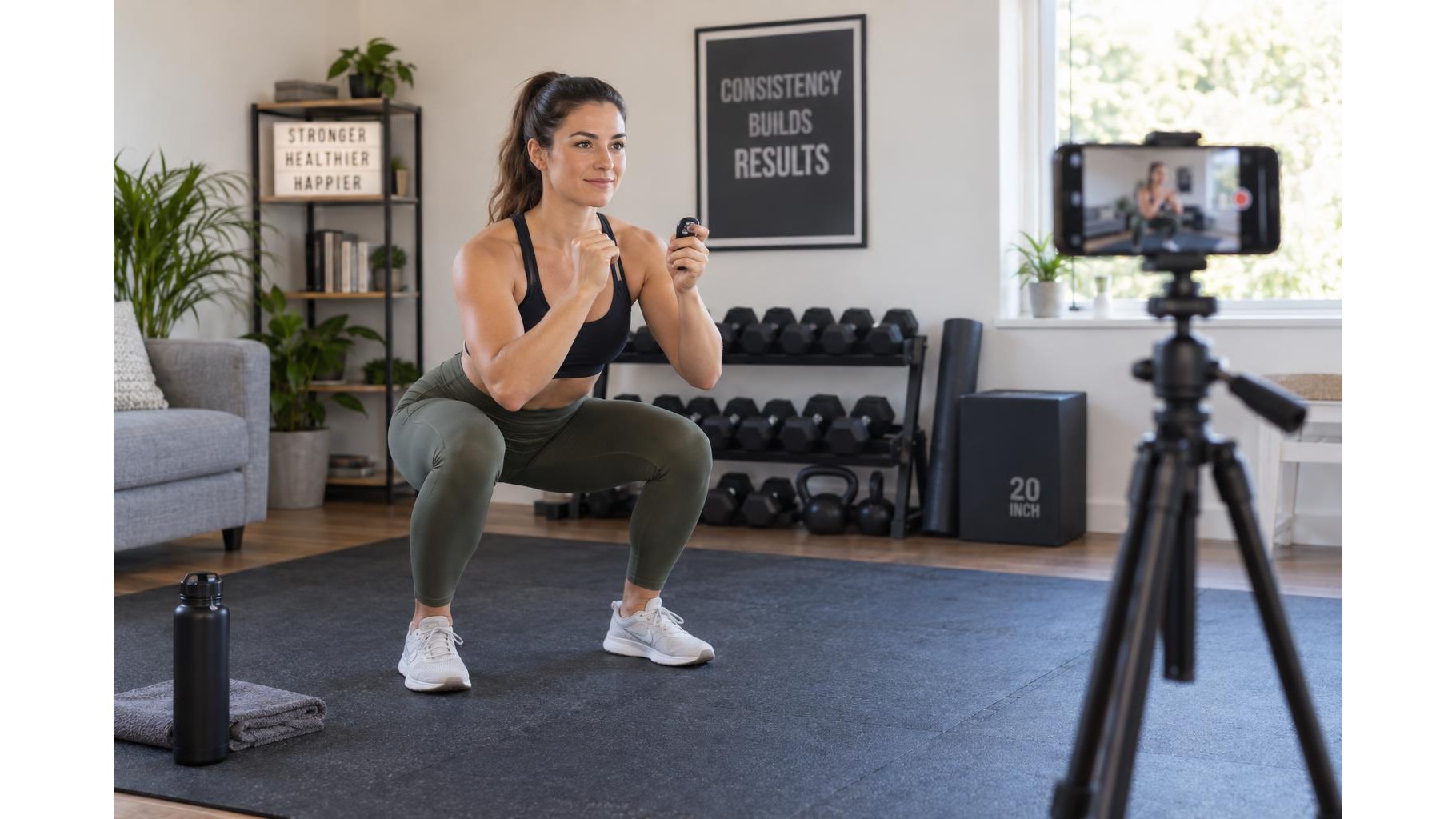
Set your phone on a sturdy tripod or another secure support, well beyond the area where you lift, jump or move. Check that the stand cannot be knocked over by a swinging arm, barbell, resistance band or passing foot. Keep it outside the path of weights and away from benches or racks that might shift. A Bluetooth shutter is a small accessory, but it does not make an unstable phone setup safe. Before recording, gently test the support and confirm the phone is locked in its holder. Avoid balancing a phone on exercise equipment, shelves that wobble or anything that could fall into your workout area. A remote shutter can trigger a recording from a distance; it should never require you to reach across a loaded bar or move a stand during a set.
[iol_placeholder type=”cta” id=”telegram”/>
Frame the movement, not just the face
Choose a camera angle that shows the joints and body positions you want to assess. For a squat, include your feet, knees, hips and upper body throughout the full repetition. For a press, make sure the camera captures your shoulder position, elbows and the complete path of the weight. Place the phone far enough away to keep your whole body and equipment in frame, then check the preview before you begin. A slightly wider composition is usually more useful than a close-up that crops out your feet or the top of a lift. Keep the lens level where practical; extreme high or low angles can distort apparent depth and alignment. Make sure there is enough light to distinguish your position without placing a lamp where it could be struck or tripped over.
Pair and test the shutter first
Pair the remote with your phone using the instructions supplied with the device, then open the camera app and confirm what the button actually does. Depending on the phone and app, a shutter control may take a photo or start and stop video. Test it before your working sets: start a short clip, trigger the control again, and play the recording back to verify that it captured the intended movement. Check whether the remote needs a fresh pairing, a battery replacement or a particular camera mode. Keep the button in a pocket or hold it in your non-working hand only if that does not interfere with grip, balance or technique. Never attach it where it could catch on clothing or equipment.
Record useful sets hands-free
Once framing and controls are confirmed, use the remote to begin recording before you take your starting position. Allow a few seconds at the beginning and end of the clip, so you can see your setup and finish rather than only the repetitions. Record a manageable set with your normal technique; do not add weight or rush a lift just to make the footage look impressive. If you need to reposition the phone, wait until the equipment is safely racked and the training area is clear. For repeatable comparisons, keep the camera angle, distance, lighting and exercise setup consistent between sessions.
Review footage with a clear purpose
Watch the clip after the set, when you are no longer moving under load. Look for one or two specific cues rather than trying to judge everything at once: bar path, depth, balance, tempo or control on the lowering phase. A side view and a front or rear view can reveal different details, but change angles only between safe, unloaded sets. Video is a feedback aid, not a substitute for coaching or pain assessment. If a movement causes pain or you are unsure how to perform it, stop and seek qualified guidance instead of repeatedly filming it.
Keep the setup simple and repeatable
Before each session, clear the floor, check the phone mount and remote battery, and make sure the camera cannot obstruct an exit or another person. Keep cables, bags and spare equipment out of walking routes. When you have finished, stop recording, retrieve the phone and store the stand and remote away from weights. A consistent, safe filming routine makes it easier to compare technique over time while keeping your attention on training rather than troubleshooting.
A well-placed phone and a tested Bluetooth shutter can make home workout recordings more practical and informative. Frame the movement clearly, trigger the camera hands-free, and keep every stand and accessory outside the active training area. Review footage for specific technique cues, then adjust only when the equipment is safely unloaded.